2 - 21
Feed unit
Main unit
Disassembly
12
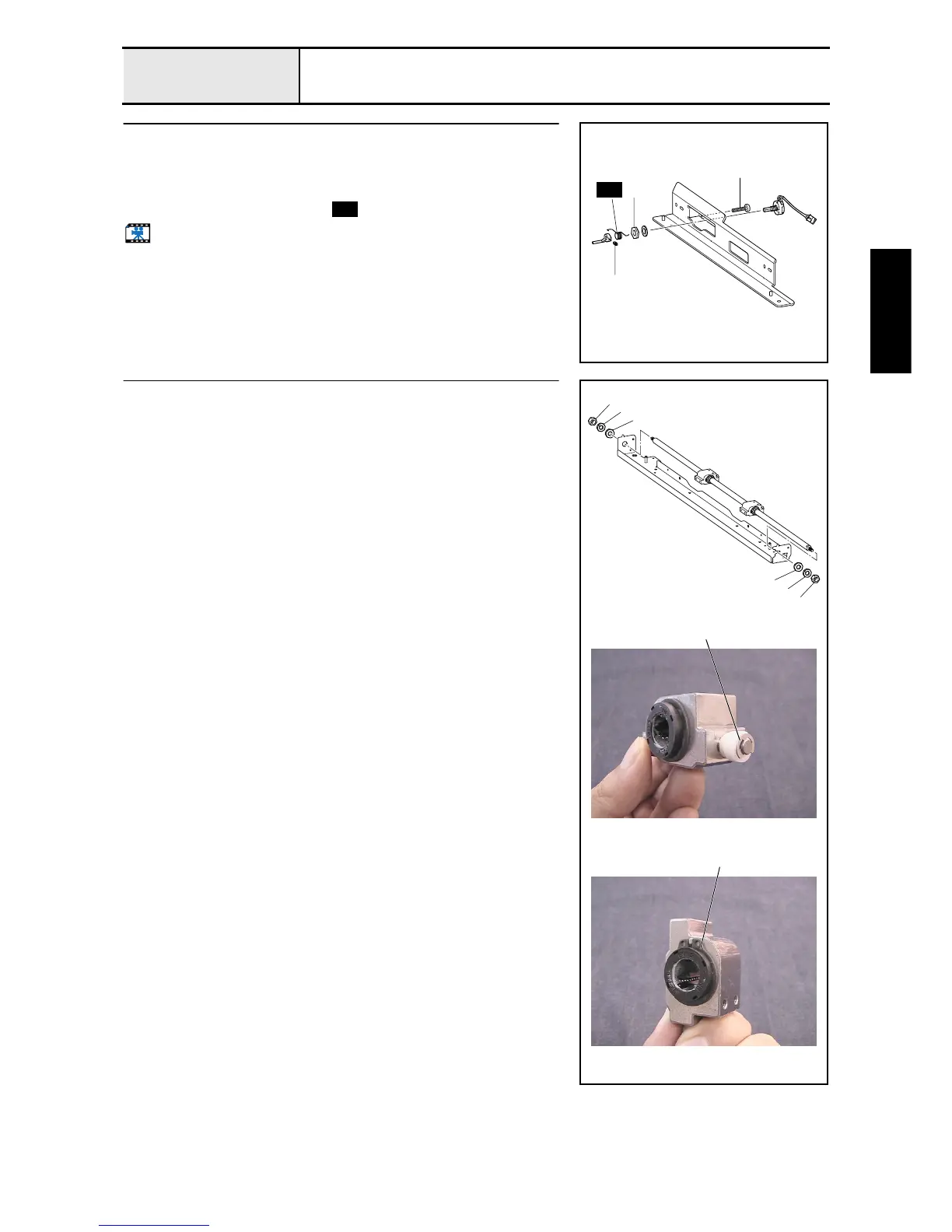
Hoop sensor removal
1. Remove the screw 1.
2. Remove the screw 2, and then remove the hoop lever.
3. Remove the nut 1 and the plain washer S6, and then remove the hoop
sensor assembly and the spring .
Start movie clip (CD-ROM version only)
2
1
1
S44
S44
13
X-guide shaft removal
1. Remove the 2 nuts (2, M6) 1 on both ends of the X-guide shaft, 2 plain
washers (6) 2, and 2 spring washers (2-6) 3. Then remove the X-guide
shaft and the 2 bearing case X assemblies from the feed frame assembly.
2. Remove the retaining ring E4, and then remove the X-roller from the
bearing case X assembly (2 sets).
3. Remove the 2 external retaining rings C21, and then remove the linear
bearing (12) from the bearing case X assembly (2 sets).
1
2
3
1
2
3
External retaining rings C21
Retaining ring E4















 To Next Page