3 - 75
Feed unit
Main unit
Assembly
1
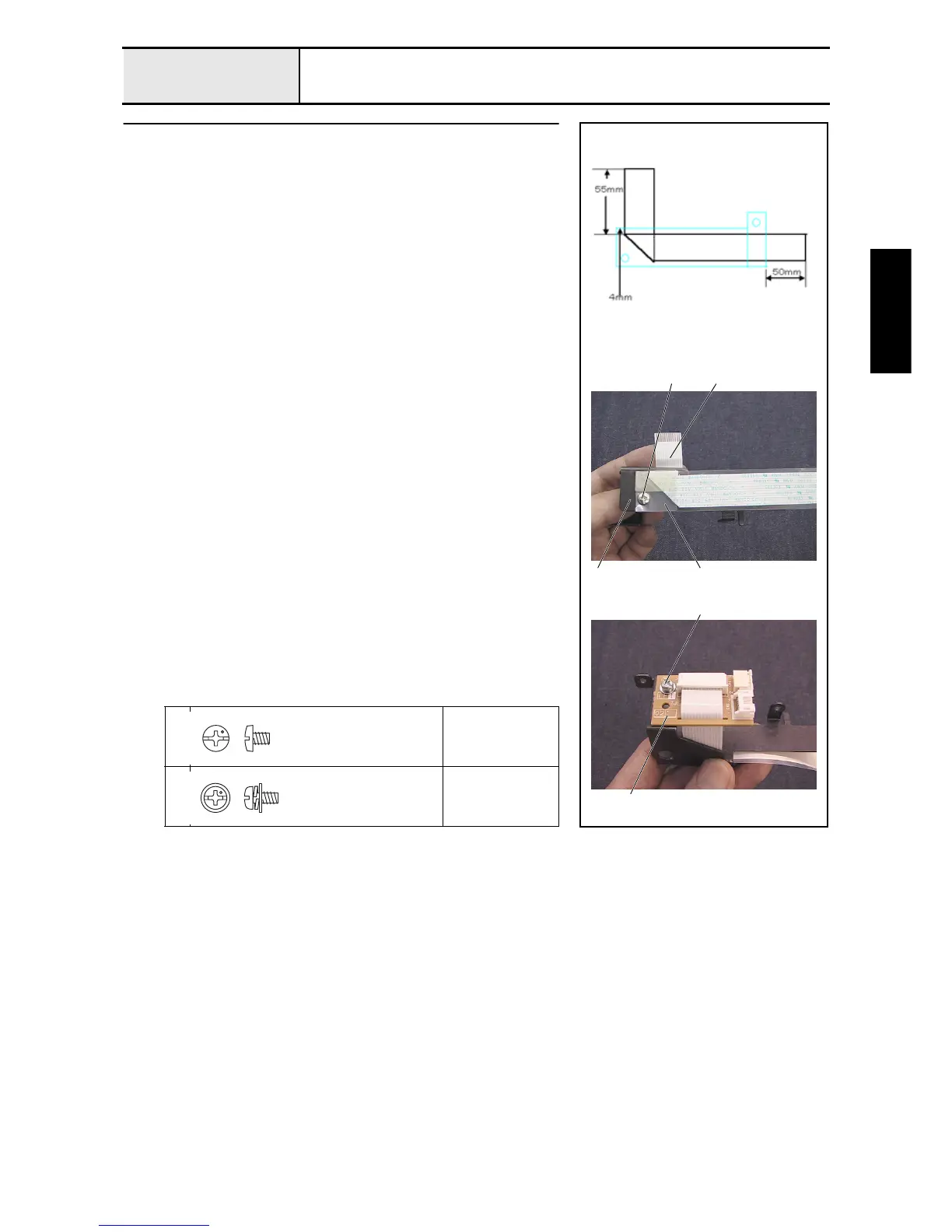
Connect PCB final assembly
1. Bend the FFC (SML2CD-Y) 90 degrees at a point 55 mm from the tip.
2. Attach the sheet 2 and the FFC (SML2CD-Y) 3 to the PCB holder 1
with the screw 1.
3. Attach the connect PCB assembly 4 to the PCB holder assembly with the
screw 2.
4. Connect the FFC (SML2CD-Y) to the connect PCB assembly, and then
lock the connector.
1
Torque
0.59 – 0.78 N-m
2
Torque
0.59 – 0.78 N-m
1
2
4
21
3
Screw, Bind
M3X4
Color; Silver
Screw, Pan (S/P washer)
M3X6
Color; Silver















 To Next Page