2 - 24
Feed unit
Main unit
17
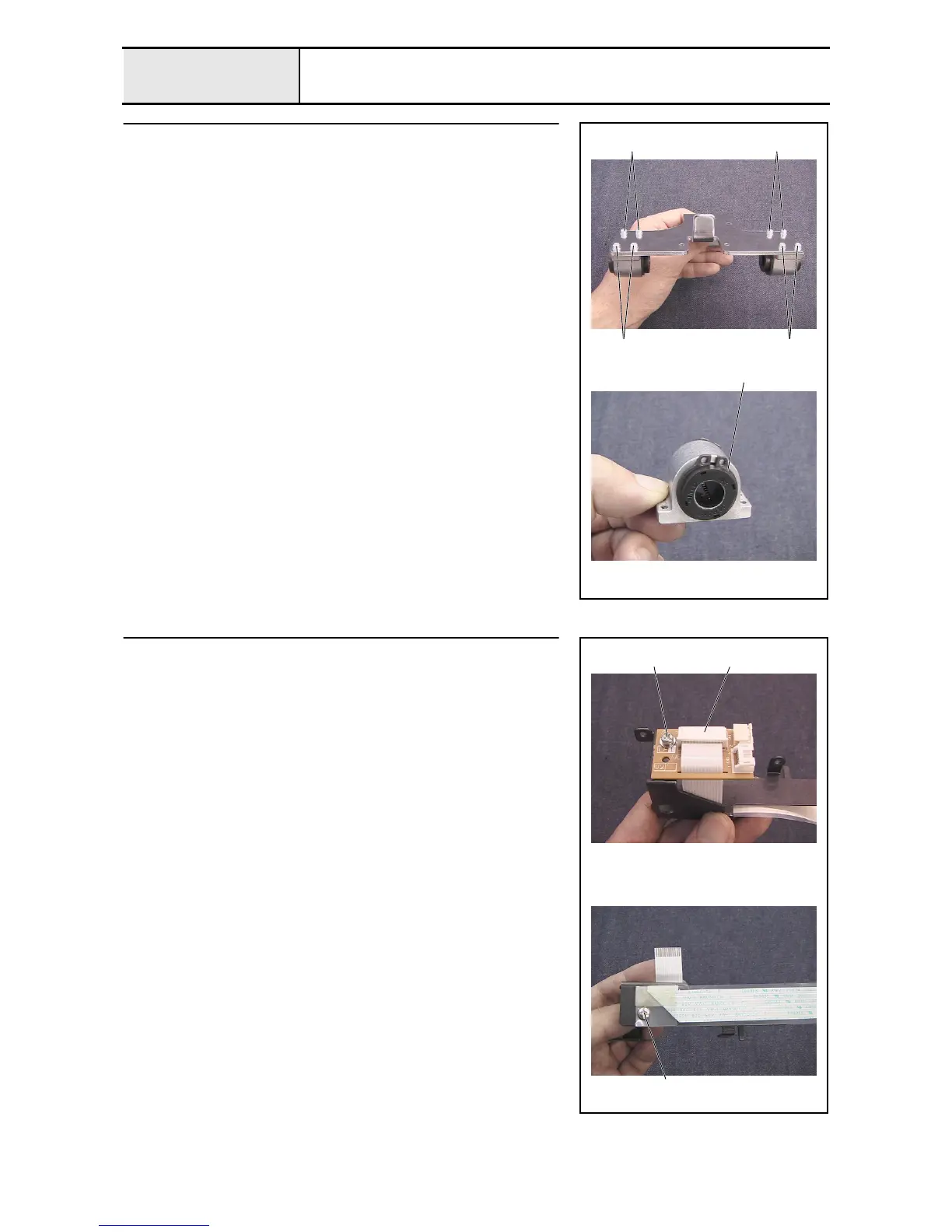
Y-carriage R disassembly
1. Remove the 4 screws 1, and then remove bearing case Y from the Y-
carriage R (2 locations).
2. Remove the 2 external retaining rings C19, and then remove the linear
bearing (10) from the bearing case Y assembly (2 sets).
1
External retaining rings C19
1 1
1
18
Connect PCB disassembly
1. Unlock the connect PCB assembly's connector, and then disconnect the
FFC (SML2CD-Y) 1 from the
2. Remove the screw 1, and then remove the connect PCB from the PCB
holder.
3. Remove the screw 1, and then remove the FFC (SML2CD-Y) and the
sheet from the PCB holder.
11
2















 To Next Page