3 - 49
Upper shaft unit
Main unit
Assembly
13
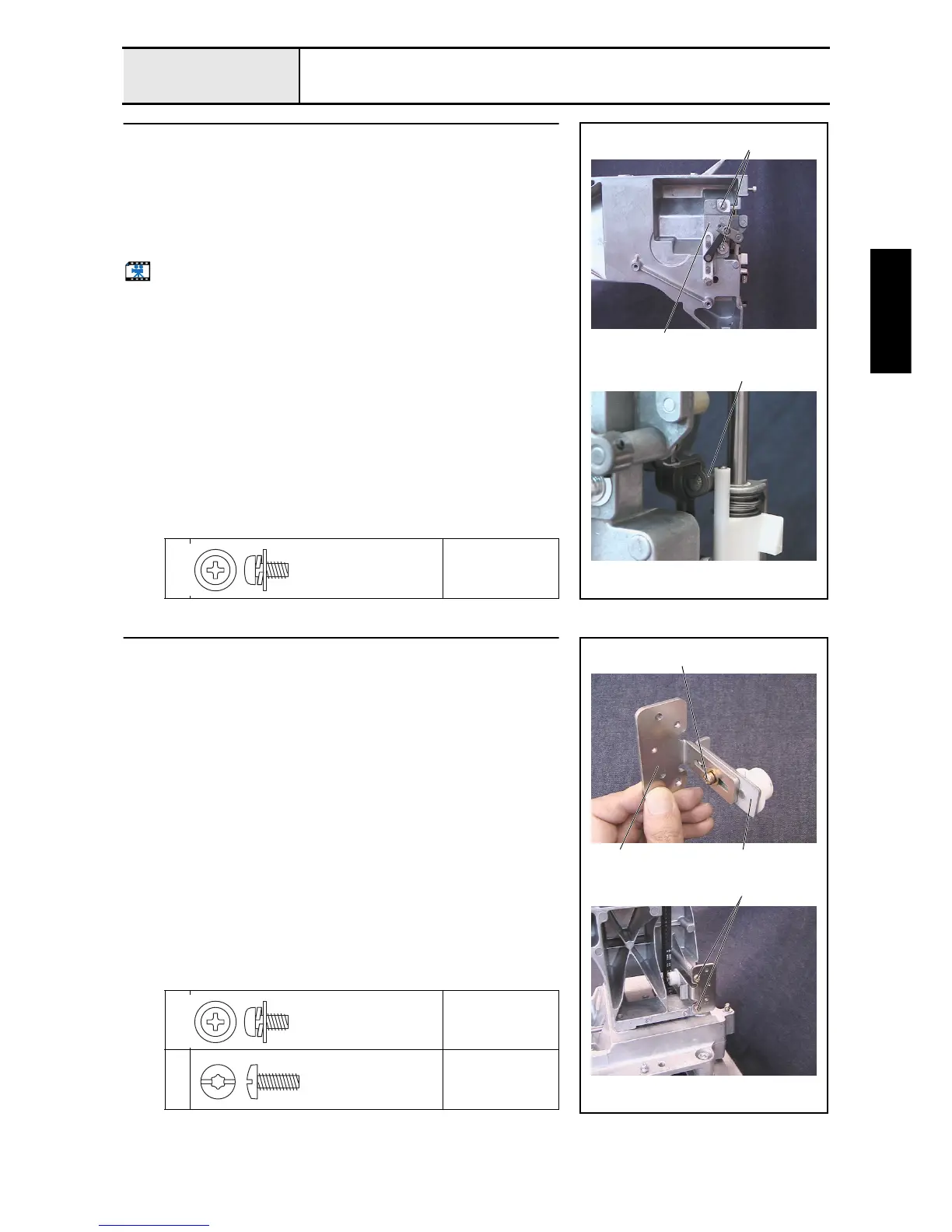
Driving jump assembly attachment
1. Attach the driving jump assembly 1 to the arm bed with the 2 screws 1.
*Key point
• Adjust the attachment position of the driving jump assembly so
that the clearance 2 between the driving jump assembly's J
driving lever bearing and the J-clamp final assembly's jump
bracket is 0 to 0.2 mm.
Start movie clip (CD-ROM version only)
1
Torque
1.18 –
1.57 N-m
1
2
1
Screw, Pan (S/P washer)
M4X8DB
Color; Silver
14
Tension pulley assembly attachment
1. Attach the tension pulley assembly 2 to the motor holder base 1 with the
screw 1.
*Key point
• Temporarily tighten the screw 1 first. Firmly tighten it after
completing 4 - 17 "Timing belt tension adjustment."
2.
Attach the tension pulley final assembly to the arm bed with the 2 screws
2.
1
Torque
Hand start
2
Torque
1.47 –
1.96 N-m
1
2
1 2
Screw, Pan (S/P washer)
M4X8DB
Color; Silver
Taptite, Bind S
M4X10
Color; Gold















 To Next Page