4 - 31
Inspection and
Adjustment
Adjustment Movable knife origin adjustment
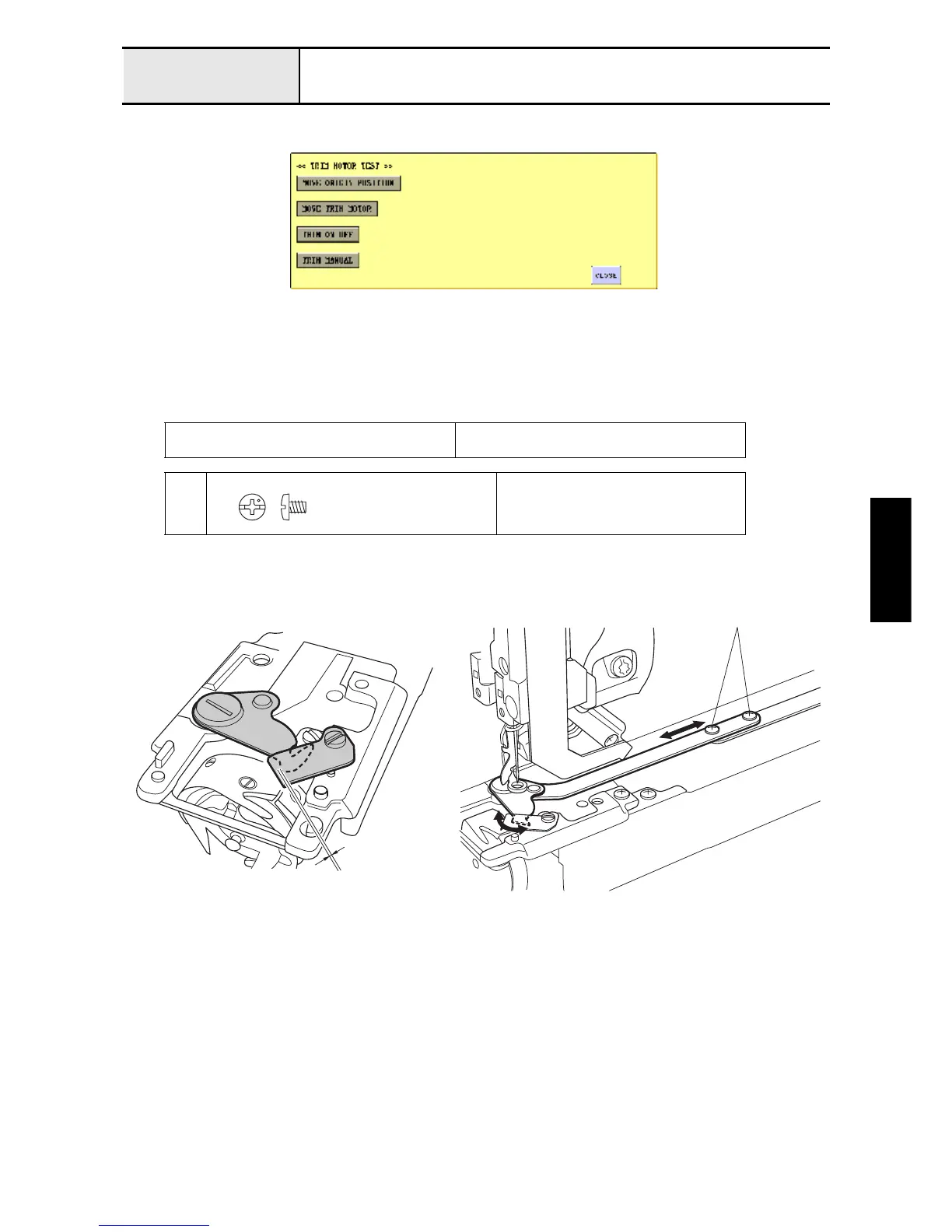
1. Enter the test mode, and press [MAIN BOARD TEST MODE] and then [TRIM MOTOR TEST].
2. Press [MOVE ORIGIN POSITION] to move the needle plate base assembly's movable knife to its origin.
3. Loosen the 2 screws
1
.
4. Adjust the position the movable knife stops.
5. Tighten the 2 screws
1
.
Distance between edges of movable knife and
fixed knife
0 mm
1
Torque
0.78 - 1.18 N-m
Screw, Bind
M3X4
Color; Silver
1
0 mm















 To Next Page