4 - 28
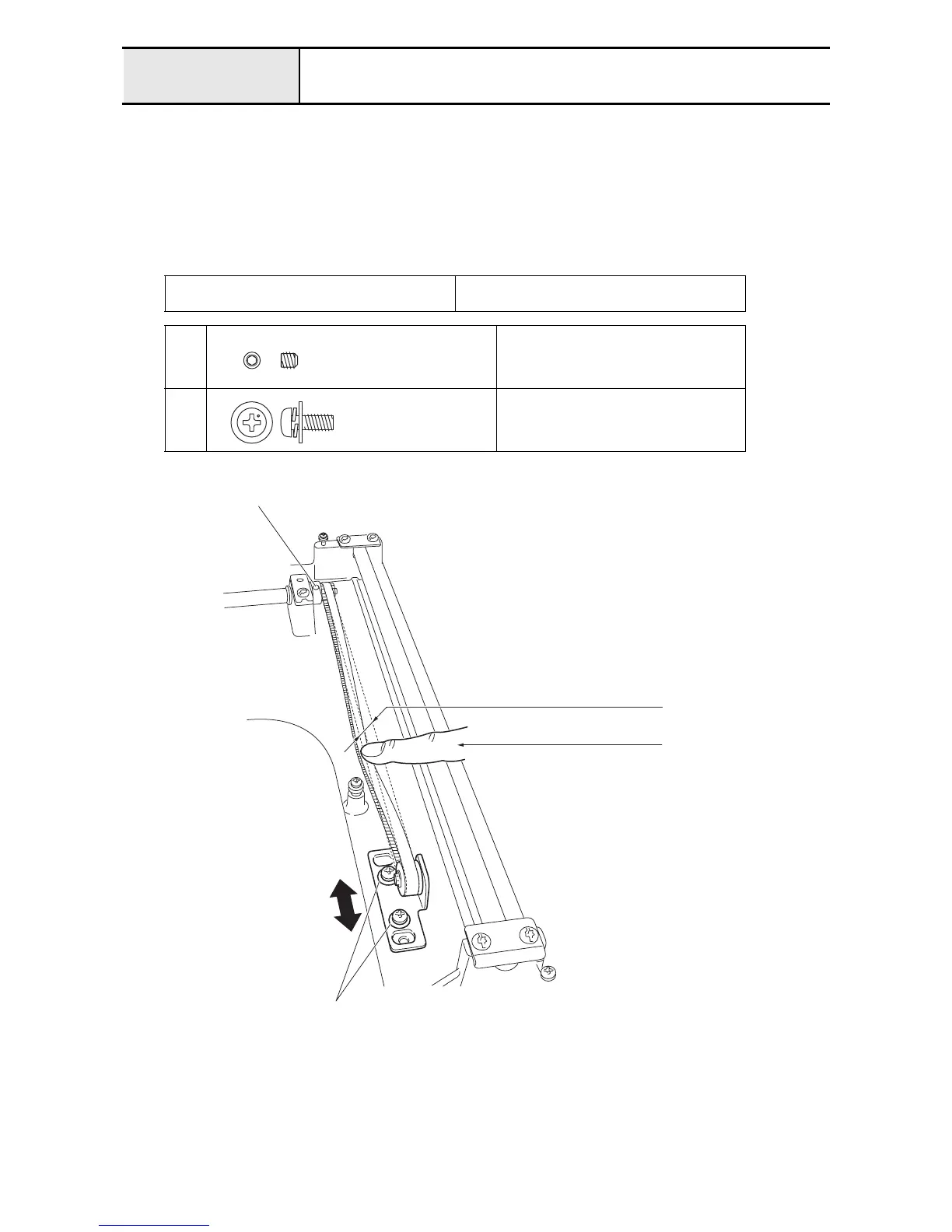
Adjustment Y-belt tension adjustment
1. Loosen the 2 screws
1
.
2. Loosen the 2 screws
2
.
3. Move the Y tension plate assembly back and forth to adjust the Y-belt tension.
4. Tighten the 2 screws
2
.
5. Repeat the same steps to adjust the Y-belt tension on the right side.
6. Tighten the 2 screws
1
.
Load when the center of the Y-belt is deflected
4.3 mm
2.4 - 2.6 N (2.44 - 2.65g)
1
Torque
0.78 - 1.18 N-m
2
Torque
1.18 - 1.57 N-m
Set Screw, Socket (CP)
M4X4
Color; Black
Screw, Pan (S/P washer)
M4X10DB
Color; Silver
3.9mm
2.4 - 2.6N (2.44 - 2.65g)
2
1















 To Next Page