2 - 78
Main unit
Operation panel
8
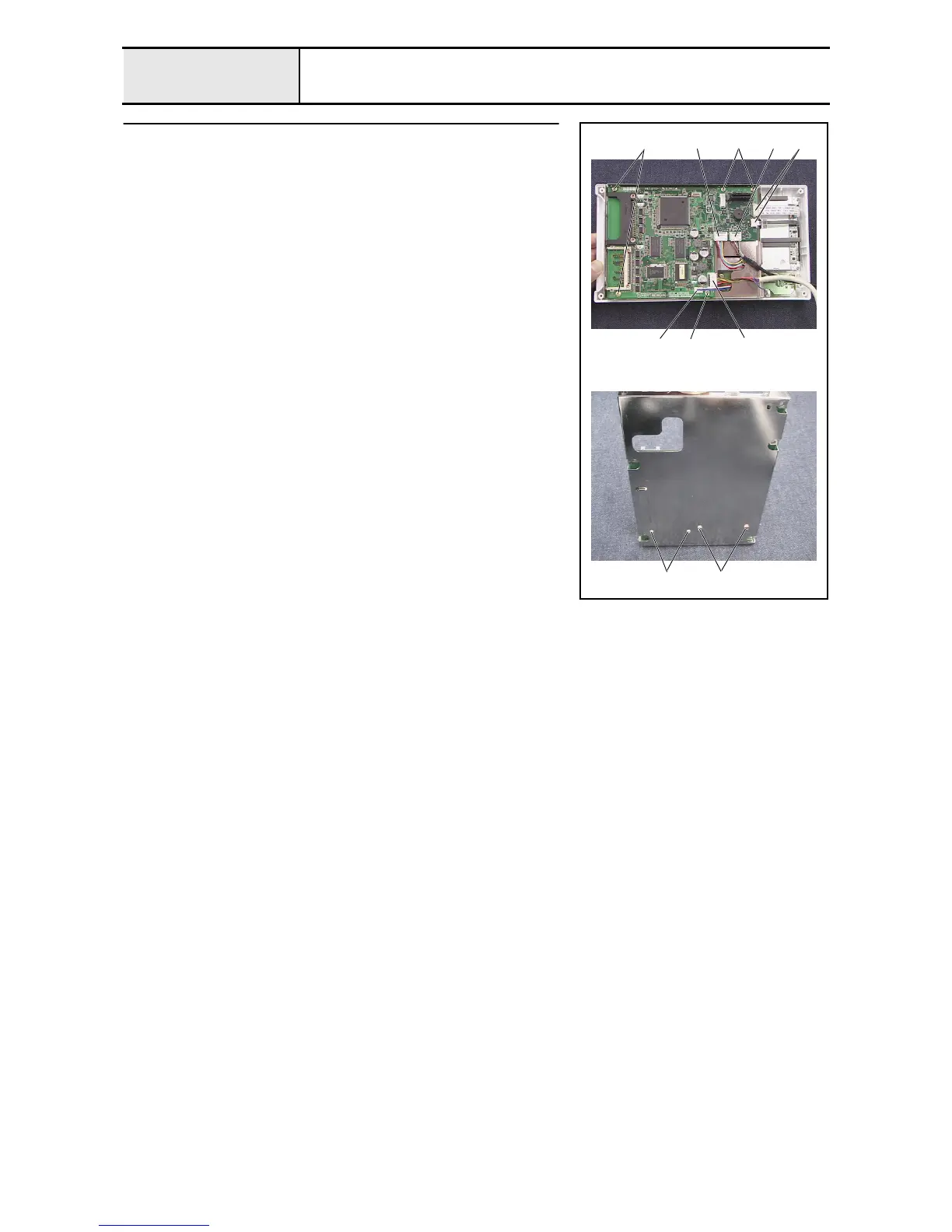
Panel PCB assembly removal
1. Remove the UBS lead wire assembly A 1 and the panel lead wire
assembly A 2 from the panel PCB assembly.
2. Unlock the panel PCB assembly's connector 3, and then disconnect the
touch panel's lead wire and the LCD cable from the panel PCB assembly.
3. Disconnect the switch PCB assembly's lead wire 4 and the inverter lead
wire assembly 5 from the panel PCB assembly.
4. Remove the 5 screws 1, and then remove the board case A assembly from
the operation panel A assembly.
5. Remove the 4 screws (2 3, 2 each), and then remove the panel PCB
assembly from the board case A.
6. Remove the 2 studs (M2) 6, 2 nuts (2, M2), 2 second studs (M3) 7, and 2
nuts (2, M3) from the panel PCB assembly.
1
1
1
2
1
3
4
5
2 3















 To Next Page