2 - 50
Upper shaft unit
Main unit
12
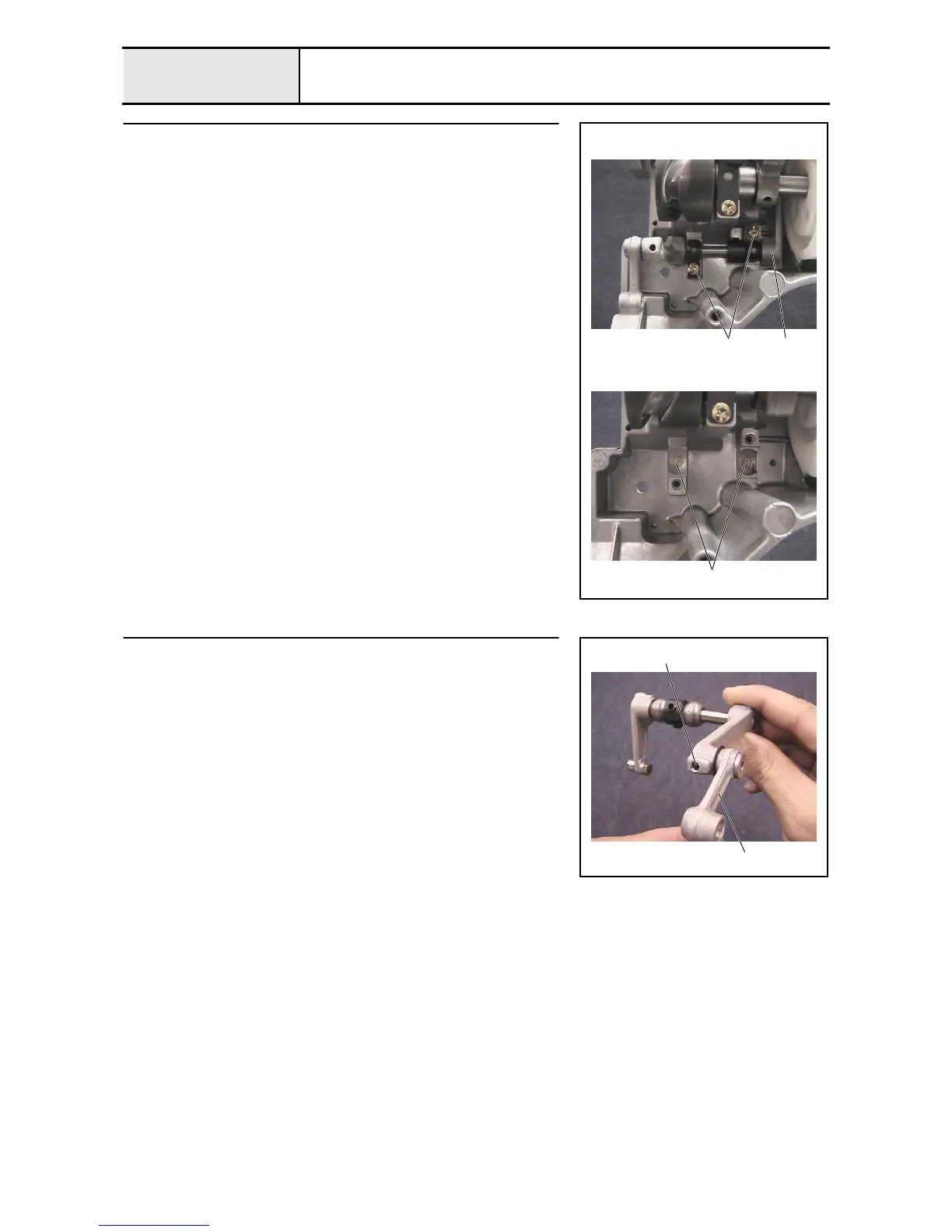
Pressure foot driving shaft assembly removal
1. Remove the 2 screws 1, and then remove the 2 bushing pressers.
2. Remove the pressure foot driving shaft assembly 1.
3. Remove the 2 felts 2 from the metal collar on the arm bed.
1
1
2
13
Presser foot driving shaft disassembly
1. Remove the screw 1, and then remove the presser foot lever shaft, presser
foot connecting rod 1, and thrust washer from the presser foot differential
lever.
1
1















 To Next Page