2 - 10
Main parts
Main unit
11
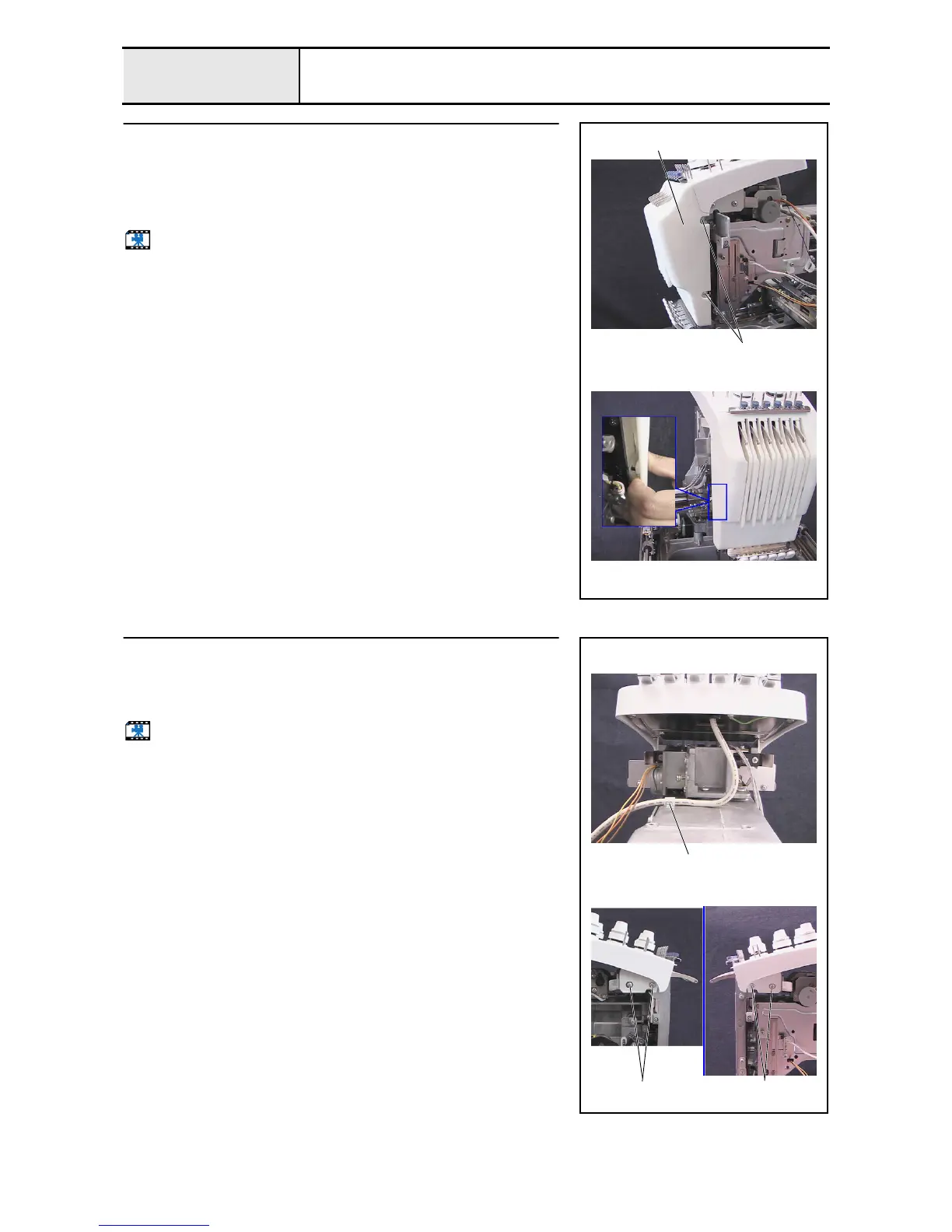
Thread take-up cover removal
1. Remove the 2 screws 1, and then remove the thread take-up cover 1.
*Key point
• The pin protruding from the needle bar case final assembly
rests on the inner left side of the thread take-up cover.
Start movie clip (CD-ROM version only)
1
1
12
Tension base removal
1. Remove the screw 1, and then remove the cord clamp NK-4N from the
arm bed.
2. Remove the 4 screws 2, and then remove the tension base assembly.
Start movie clip (CD-ROM version only)
1
2
2















 To Next Page