3 - 54
Main unit
Needle bar unit
3
Case bracket assembly attachment
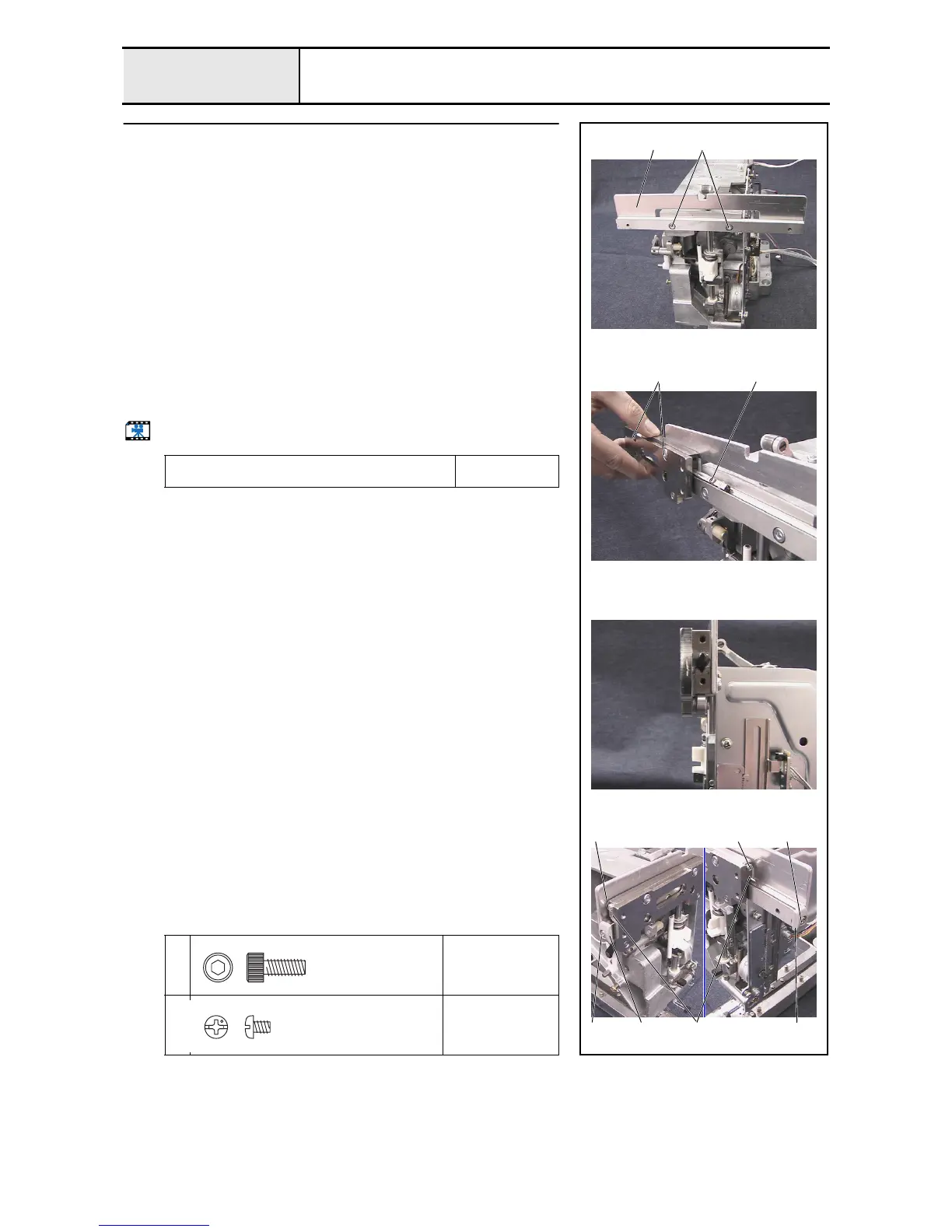
1. Attach the case guide UL assembly 1 to the arm bed with the 2 screws 1.
2. Place the slide roller in the V groove 2 on the case bracket assembly, slide
the case bracket assembly horizontally to attach it to the case guide UL
assembly 3, and then firmly tighten the 2 screws 1 of the case bracket
assembly.
*Key point
• Adjust the attachment position of the case bracket assembly
vertically so that the clearance between the 2 ball bearings
694 of the case bracket assembly and the case guide UL
assembly is zero.
3. Attach the 2 case guide UL lids 4 to both ends of the case guide UL
assembly with the screw 2.
4. Attach the 2 slide roller stoppers 3 to both ends of case guide US with the
2 screws 3.
5. Attach the 2 case guide UL lids 4 to both ends of the case guide UL
assembly with the 2 screws 4.
Start movie clip (CD-ROM version only)
Apply MOLYKOTE EM-30L grease to the 4 slide
rollers.
Size of a grain of
rice
1
2
Torque
1.18 –
1.57 N-m
3
4
Torque
0.59 –
0.78 N-m
1
3
4 3
1
2 2
44
43
Bolt, Socket
M4X10
Color; Black
Screw, Pan
M3X4
Color; Silver















 To Next Page