4 - 14
Test mode
1. Default Setting
Select this mode to initialize the panel settings.
Items to be initialized are listed below.
[Editing information]
[System setup data]
• Language (reset to the factory-set language.)
• Resumption (operation is not resumed even when suspension is released. Number of switches is returned to
[0].)
• Buzzer: [Beep] is set.
[Empty pocket]
Empties the pocket data.
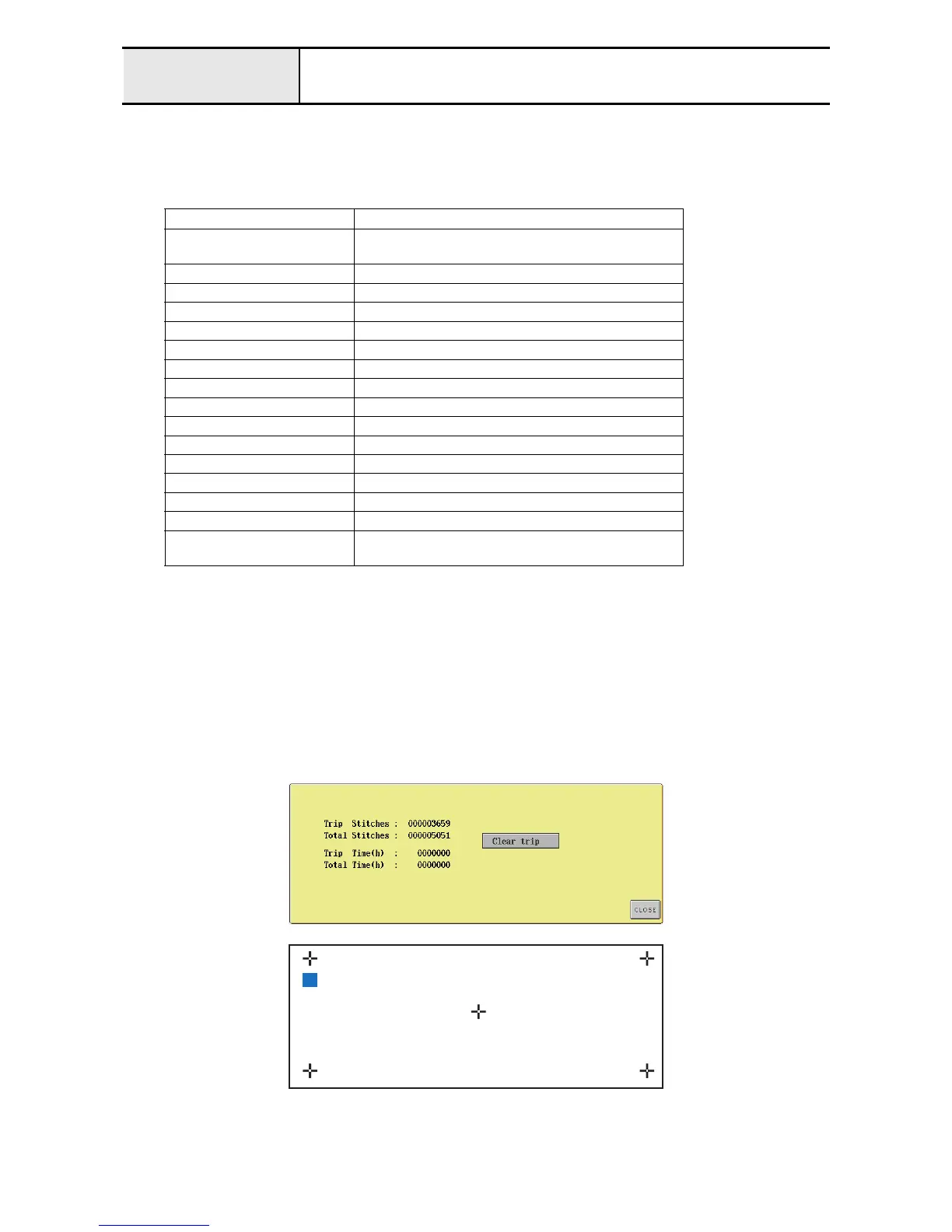
2. Clear trip
When this mode button is selected, the current values for the stitch counter and sewing time counter (Total and Trip) are
displayed on the left side, and the [Clear trip] button is displayed on the right side of the screen.
Pressing the [Clear trip] button resets [Trip Stitches] and [Trip Time] to zero.
If a red square appears, repeat the operation from step 1.
Parameters Default
Thread spool All color information set for spools is cleared, resulting
in no spool set.
Reserved thread All spools are released.
Sewing area display LL frame area is displayed.
Grid display Only the center is displayed
Cursor display A small cross cursor is displayed.
Sewing order display Name of Color
Display expanded thread color OFF
Thread selection Brother's original pallet
DST thread trimming feed +3 when thread trimming is turned on
Deleting short stitches 0.3 mm or less
Remaining length of thread Standard
Units of measurements mm
Custom thread table 1, 2 All registered custom settings are reset.
Starting / Ending position Center (both start and end of sewing)
Lock stitch ON
Maximum speed Tubular frame: 600 rpm
Cap frame: 400 rpm
1
2
4
5
3




 To Next Page