25
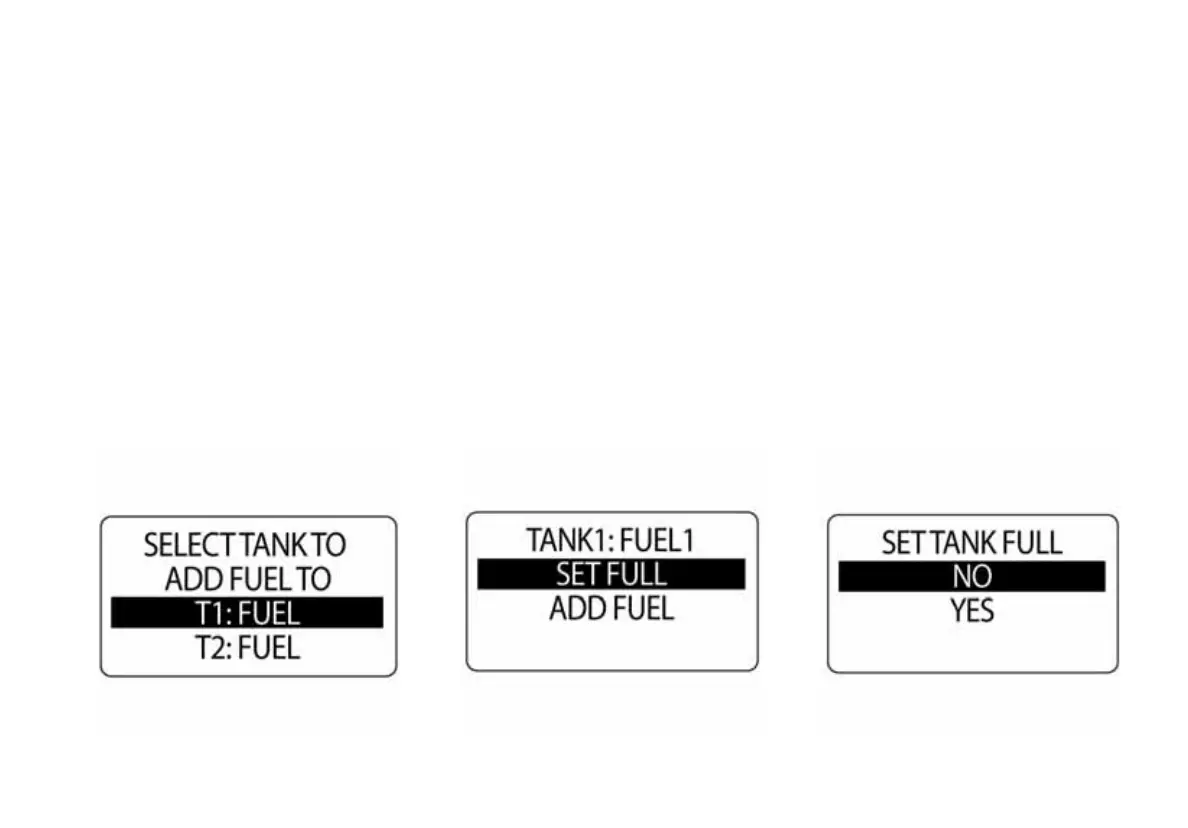
7.) Press and hold the MODE button to set the fuel tank to FULL
8.) Use the UP or DOWN buttons to select YES. Select NO to exit.
9.) Press and hold the MODE button to save the selection.
If YES was selected, the LCD screen will display SETTING SAVED! and then return to the SET FULL menu.
NOTE: A full indication indicates that the amount of fuel added to the fuel tank is equal to the capacity of the
fuel tank set up in the initialization setup. The ICON gauge uses this number to calculate the Fuel economy
calculations. An inaccuracy in this number will result in faulty calculations.



 To Next Page