54
Winterizing the Engine (G2 Engines)
The engine must be running to use this feature. Refer to the Outboard Operator's Guide for complete proce-
dure and Safety Precautions.
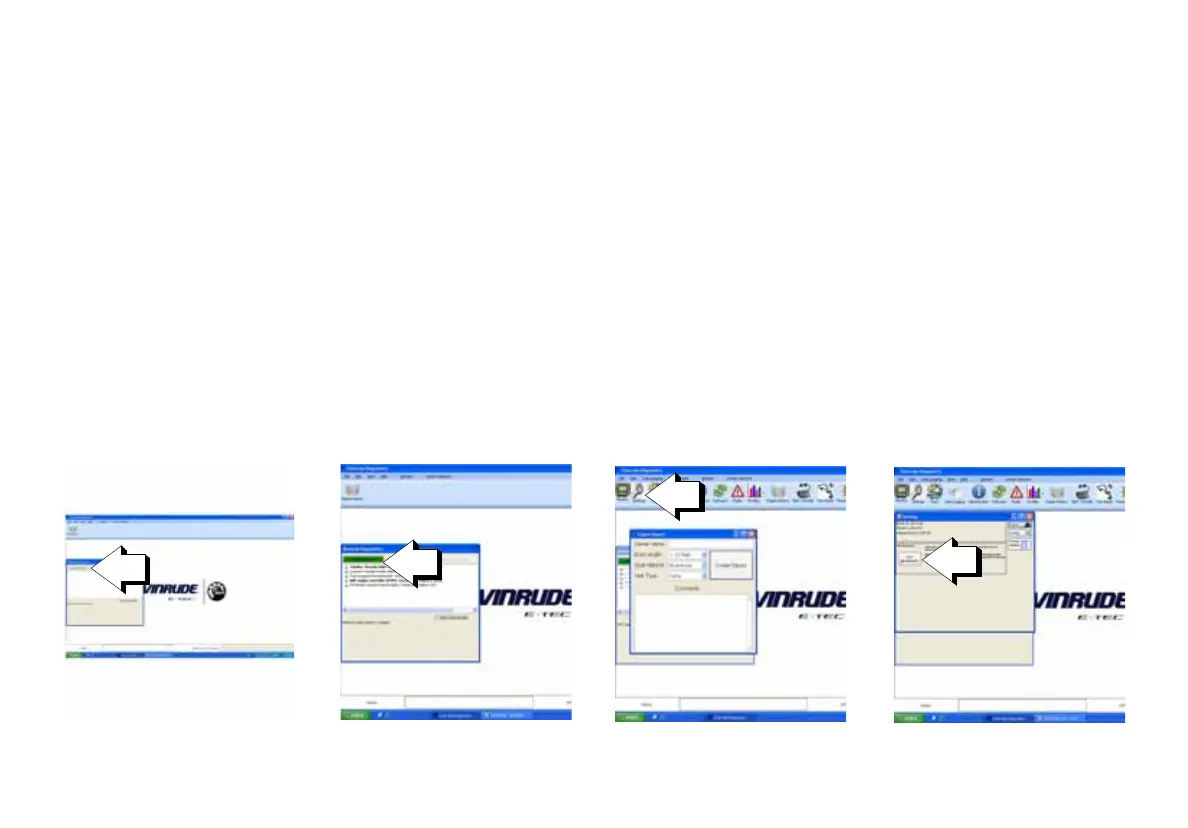
1.) Attach a laptop equipped with EvDiag 6 to the diagnostic port on the outboard.
2.) Open EvDiag 6 and click on the Connect to the Network box.
3.) Once EvDiag 6 has established communication with the network, click on the BRP engine controller (EMM)
option.
4.) Close the Engine Report box when it appears and click on Settings at the top of the screen.
5.) When the Settings box appears, click on the Start Winterization box.
6.) The engine will run the winterization process and the gauge will display, WINTERIZATION IN PROGRESS.
7.) When the winterization process is complete, the gauge will return to the home screen and the engine will
shut off.



 To Next Page