92
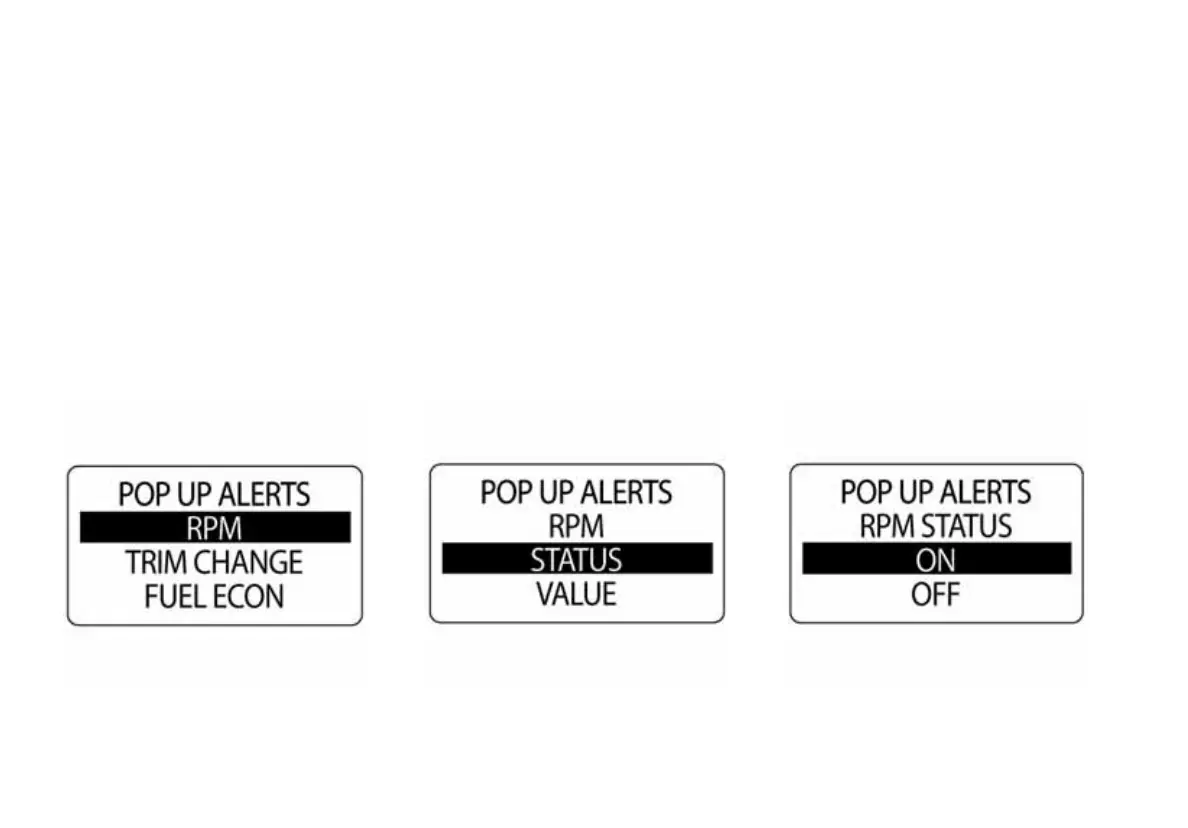
To Turn the Pop Up ON or OFF:
1.) Use the UP or DOWN buttons to select the desired POP UP alert.
2.) Press and hold the MODE button to enter the selection.
3.) Use the UP or DOWN buttons to select STATUS.
4.) Press and hold the MODE button to save the selection.
5.) Use the Up or DOWN buttons to select ON or OFF.
6.) Press and hold the MODE button to save the selection.



 To Next Page