71
Data Page Auto–Scrolling
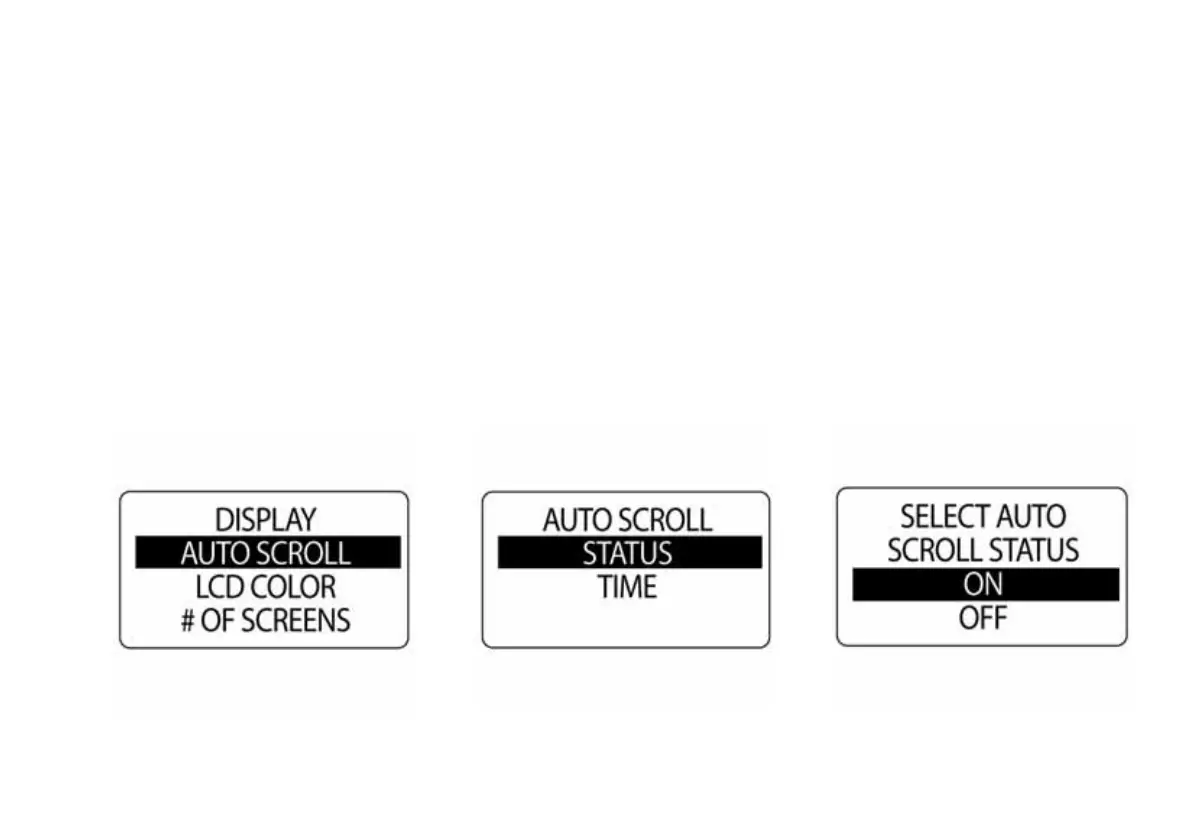
The data page AUTO SCROLL feature, when active, automatically scrolls through the data pages at a
user-defined interval. To setup and activate auto scroll, enter the DISPLAY menu, then:
1.) Use the UP or DOWN buttons to select AUTO SCROLL.
2.) Press and hold the MODE button to enter the selection.
3.) Use the UP or DOWN buttons to select STATUS.
4.) Press and hold the MODE button to enter the selection.
5.) Use the UP or DOWN buttons to select ON or OFF.
6.) Press and hold the MODE button to save the status selection.



 To Next Page