Sensor Configuration and Numbering
SMART MATRIX - 2-14 -
To return to CONTROL status.
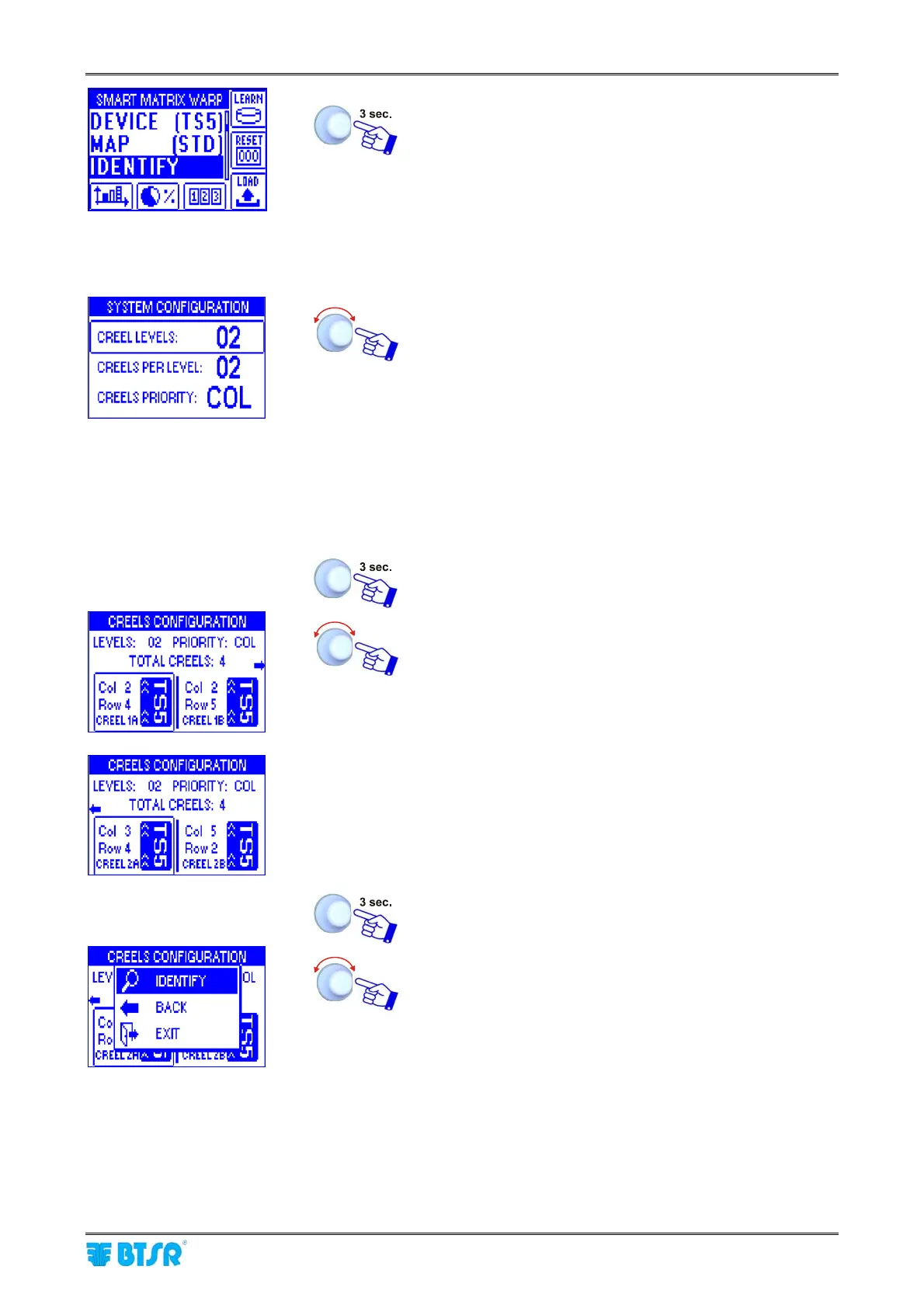
Example with CREEL LEVELS parameter = 02 (2 creel levels)
• Point and select CREEL LEVELS.
• Set the number of CREEL LEVELS [Allowed values 02
÷ 04; on this example CREEL LEVELS = 02].
• Point and select CREELS PER LEVEL
• Set the CREELS PER LEVEL [Allowed values: 01 ÷ 16]
• Point and select CREELS PRIORITY
• Choose the desired priority (Rows, Columns, Bars)*
* The ENDS option refers to a special configuration that
cannot be used in a general way
SAVE to save the settings, BACK to go back to the
previous screen without saving, EXIT to go back to the
menu
If CREEL LEVELS parameter is different from OFF, then
the creels are identified with a number and a letter; the
number corresponds to CREEL LEVEL, while the letter
identifies in sequence the creels. On this example, two
levels with two creels per level have been set, therefore the
creel numbers will be: 1A, 1B, 2A and 2B.
• Point CREEL 1A
• Select Col field.
• Set the number of Columns for Creel 1A.
• Select the Row field
• Set the number of Rows of Creel 1A.
• Point CREEL 1B and so on for all the used creels.
Once you have configured all the creels.
IDENTIFY to start the sensor identification.










 To Next Page