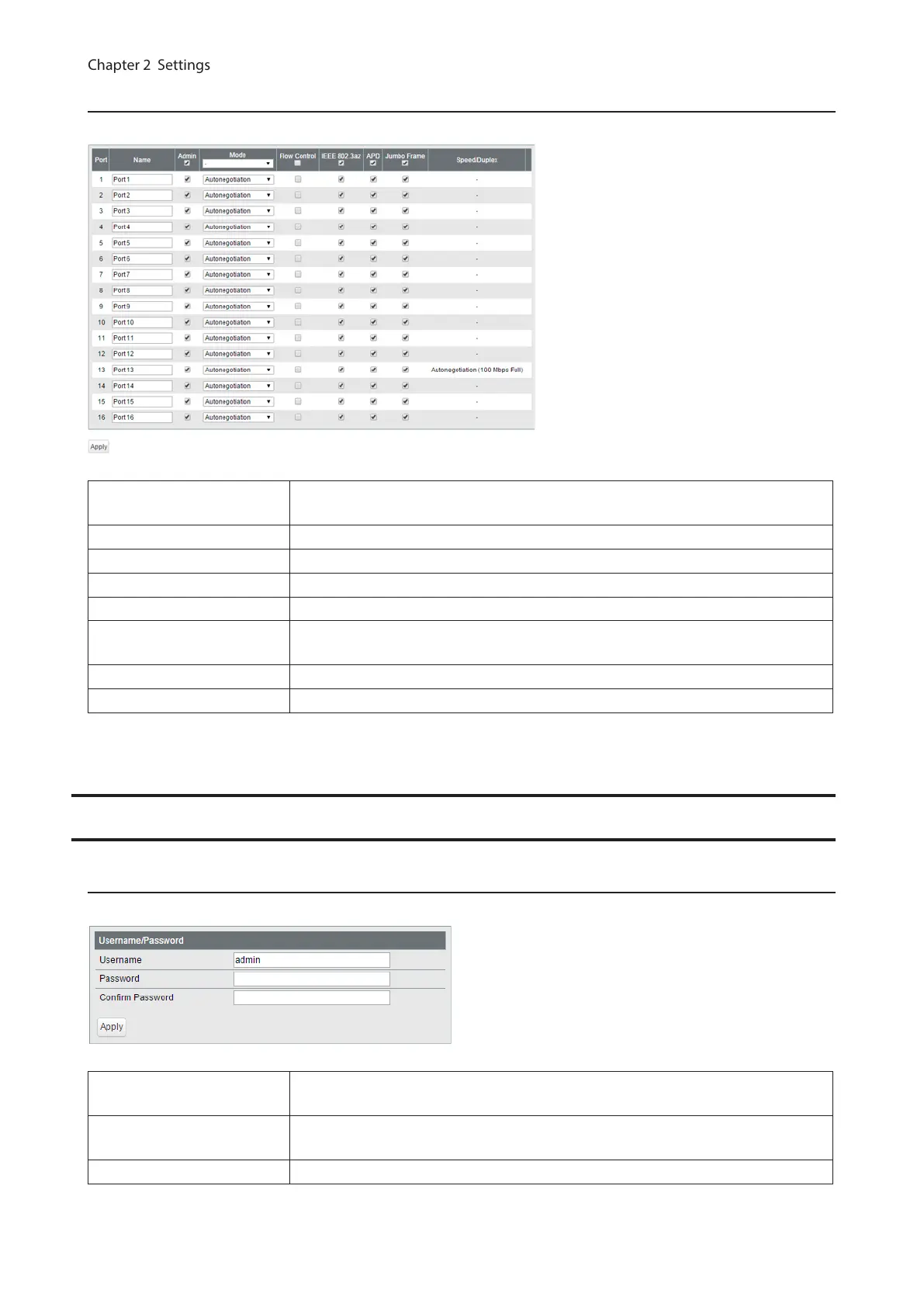
Speed/Mode Settings
Configure ports settings such as the transmission rate or flow control.
Name
Enter the port name. You may enter up to 15 alphanumeric characters, hyphens,
underscores, and spaces.
Admin Check to enable the port.
Mode Select the transmission rate and duplex.
Flow Control Check to enable flow control.
IEEE 802.3az Check to enable IEEE802.3az.
APD
Check to enable APD (auto power down). If enabled, power consumption of link
down ports can be reduced.
Jumbo Frame Check to enable jumbo frame settings.
Speed/Duplex Displays the current transmission rate and duplex.
System Security
Administration Account
Configure the username and password.
Username
Enter the new username. You may enter up to 8 alphanumeric characters,
hyphens, and underscores.
Password
Enter the new password. You may enter up to 32 alphanumeric characters,
hyphens, and underscores.
Confirm Enter the new password again.
33



 To Next Page