Dual Image Select a firmware image to be read when booting.
Back Up and Restore Settings Save settings to a file or restore settings from a file.
Reboot Reboot the switch.
Initialize Initialize the switch.
ARP Table
(L3 mode only)
Port Order Displays the ARP table ordered by ports.
IP Address Order Displays the ARP table ordered by IP addresses.
MAC Address
Table
Port Order Displays the MAC address table ordered by ports.
MAC Order Displays the MAC address table ordered by MAC addresses.
Statistics Displays the switch’s statistics.
Logs Displays log information.
Syslog Settings Configure to transfer logs to syslog server.
Network Diagnostics Execute communication test to the specified IP address.
Cable Diagnostics
Confirm abnormalities of each Ethernet cable connected to the
switch.
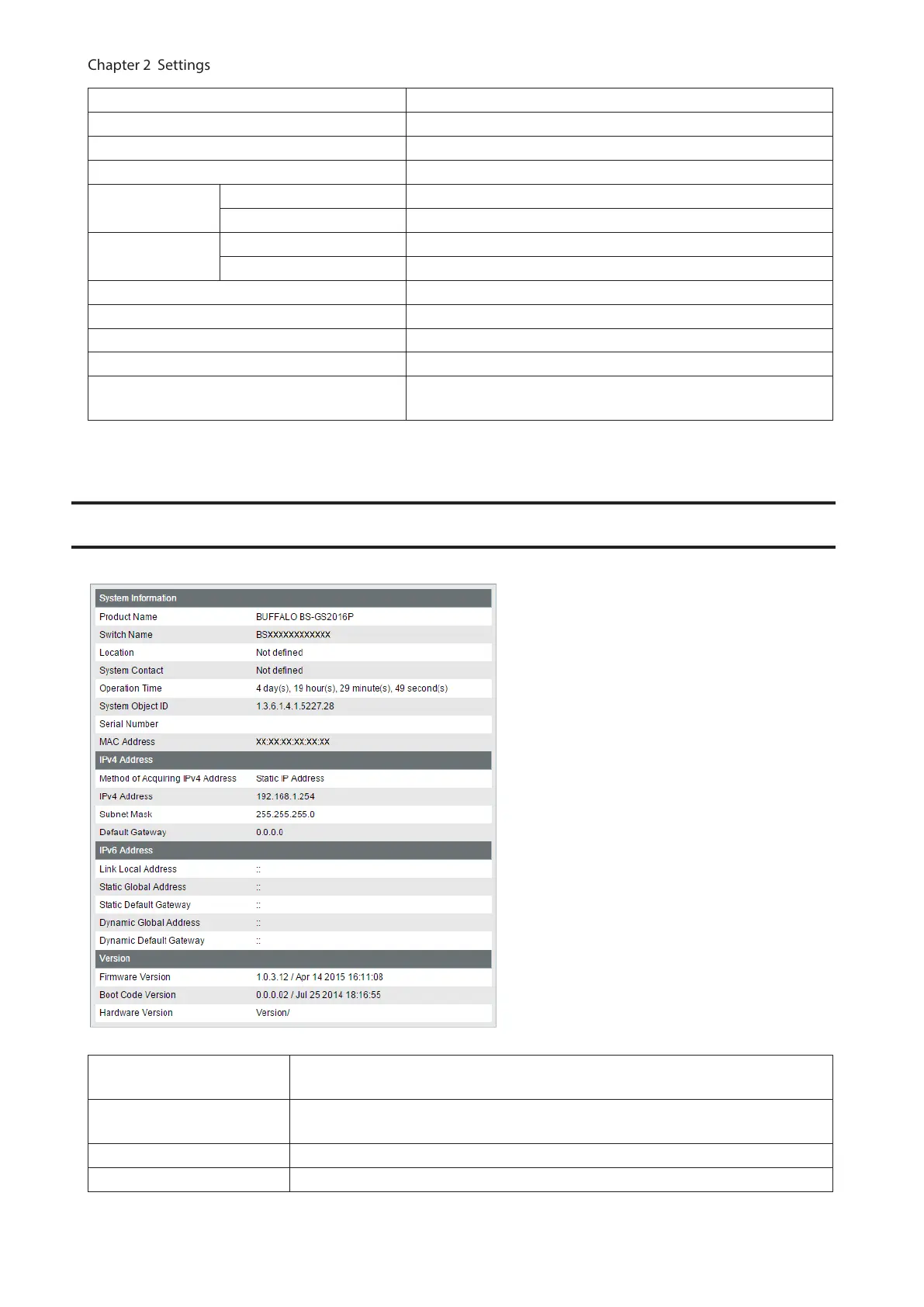
System Information
Displays the switch’s information.
System Information
Displays system information such as the switch name, serial number, and MAC
address.
IPv4 Address
Displays information such as the switch’s IPv4 address, subnet mask, and default
gateway.
IPv6 Address Displays information such as the switch’s IPv6 addresses and default gateways.
Version Displays the switch’s firmware, boot code, and hardware version.
15



 To Next Page