Fastlink
If enabled, the port will be in forwarding status immediately. It is recommended
to enable fastlink to the port a PC is connected to. Disable it if the switch using
STP is connected to the port.
Note: Fastlink is disabled when the port trunking is configured.
IGMP
Status
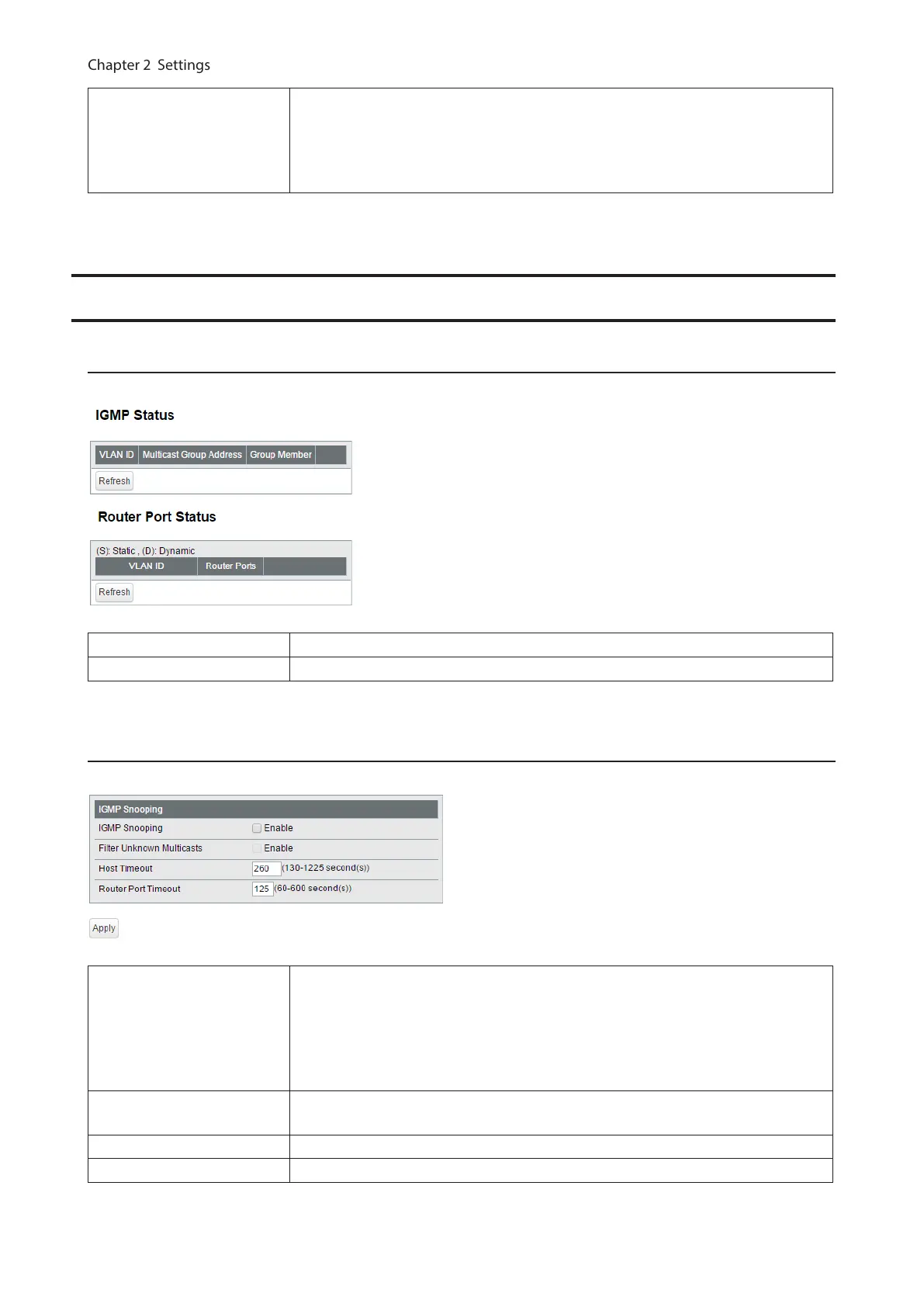
Displays the IGMP status.
IGMP Status Displays the multicast address table.
Router Port Status Displays the port connected to the multicast router (server).
IGMP Settings
Configure IGMP snooping. This product is compatible with IGMP snooping v1, v2, and v3.
IGMP Snooping
Check to enable IGMP snooping.
If enabled, you can prevent the flooding of multicast packets except for the port
connected to the host which joins the multicast group.
Note: The addresses in the range of 224.0.0.1-224.0.0.255 will be excepted from
IGMP snooping.
Filter Unknown Multicasts
If checked, the packets of the multicast that is not learned will be discarded
except for 224.0.0.1-224.0.0.255.
Host Timeout Enter the host timeout period for receiving multicast.
Router Port Timeout Enter the timeout length for the multicast router (server).
59



 To Next Page