The MAC authentication port authenticates using the source MAC address when it receives IP packets. Use the
following username and password to authenticate to the RADIUS server.
Username: source MAC address
Password: source MAC address
Example: If the source MAC address of the IP packet is 00:11:22:33:AA:BB, the username and password is the
following.
Username: 00112233aabb
Password: 00112233aabb
Enter letters in lower case.
RADIUS requests will be sent to the RADIUS server with this information. On the RADIUS server side, user registration
is needed in advance.
Note: MAC authentication will not authenticate the same MAC address twice in a row. If MAC authentication fails,
disconnect and reconnect the Ethernet cable or authenticate others, then try again.
This product’s authentication is compatible with the following encryption method.
802.1X Port 802.1X (EAP-MD5, TLS, PEAP) Cannot use with other methods at the same time
802.1X MAC 802.1X (EAP-MD5, TLS, PEAP) Can use with other methods at the same time
By MAC PAP Can use with other methods at the same time
Notes:
• If 802.1X MAC is enabled, EAPOL-Start should be issued by the supplicant.
• You cannot use MAC filtering for the port that enables 802.1X port authentication.
• You cannot select a authentication type for the port that enables MAC filtering or trunk.
Port Trunking
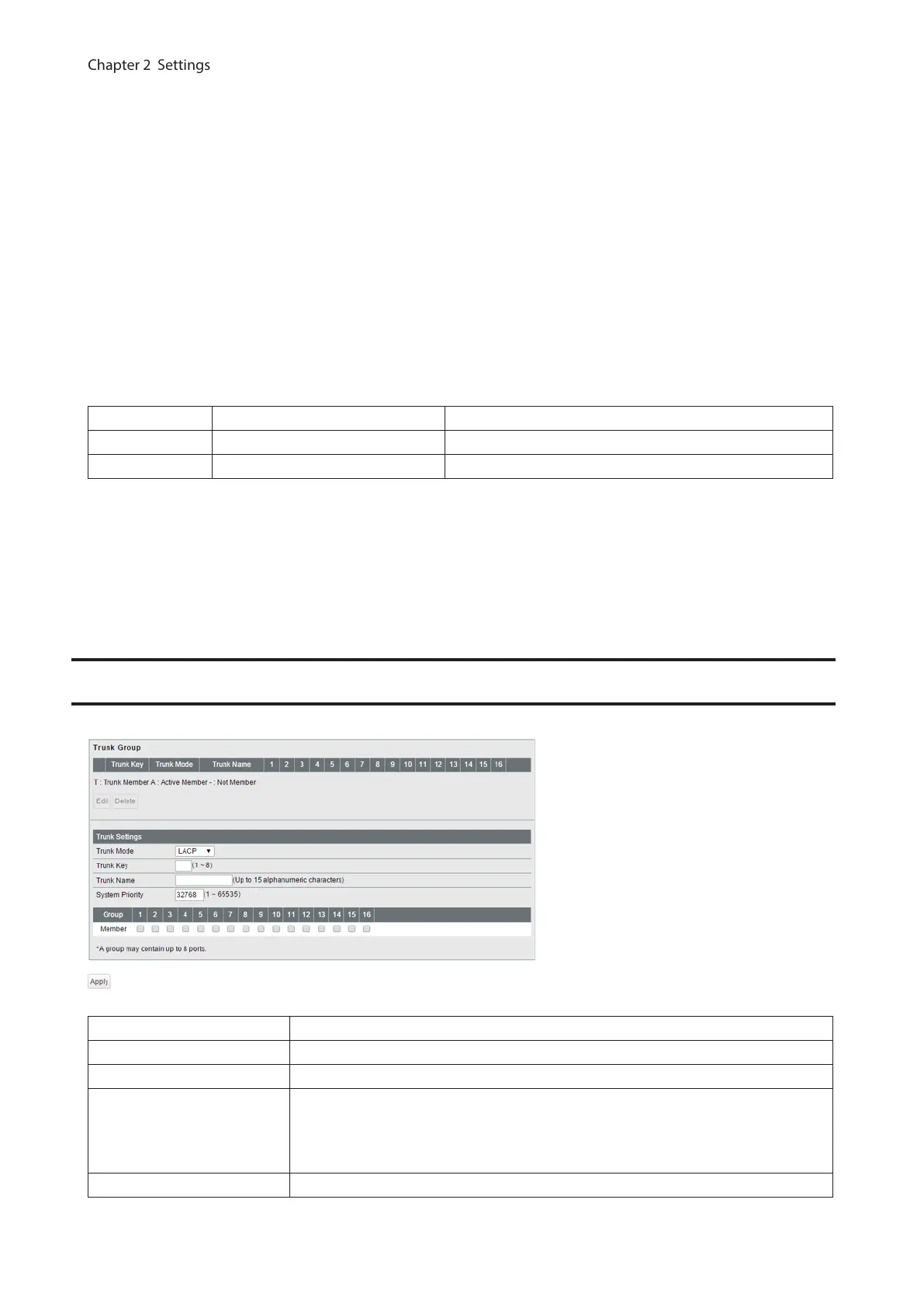
Configure port trunking settings.
Trunk Mode Select a trunk mode.
Trunk Key Enter the key to identify the trunk group.
Trunk Name Enter the trunk name.
System Priority
Enter the priority that is used to decide whose settings are used when the trunk is
constructed. The settings of the device whose system priority is the minimum will
be used. If the system priorities are the same, the settings of the device whose
MAC address is smaller will be used.
Member Select ports to join the trunk member.
54



 To Next Page