Permit/Deny
Select if the frames that satisfy the requirement can be forwarded to the other
port or not.
Permit
Forwards the incoming frames to the other port. Any packets or frames out of the
range of permitted IP addresses will be dropped.
Deny
Drops the incoming frames.
Egress Queue
Apply the scheduling to the frames satisfy the requirement and configure the
priority. Select the priority from 0 (lowest) to 7 (highest).
The scheduling is executed based on strict or WRR. It depends on the settings on
the [Advanced] - [QoS] page. If QoS is disabled, it will be based on WRR.
About Address and Mask
This product adopts “wildcard masks”. To configure the source IP address or destination IP address, refer to the
following example.
• To specify the range of “192.168.1.0” to “192.168.1.254”
Enter “192.168.1.0” in the address field and also enter “0.0.0.255” in the mask field.
• To specify only “192.168.1.1”
Enter “192.168.1.1” in the address field and also enter “0.0.0.0” in the mask field.
About IP ToS Mask
IP ToS mask also adopts “wildcard mask”. If [IP ToS] is selected for [Service Type], you can specify the range of IP DSCP
values or IP precedence values. To specify the range of values, refer to the following example.
To specify DSCP value 1-7,
Enter “0” in [Bits] field and also enter “1C” in [Mask] field.
IPv6 ACL
Create IPv6 address-based ACLs.
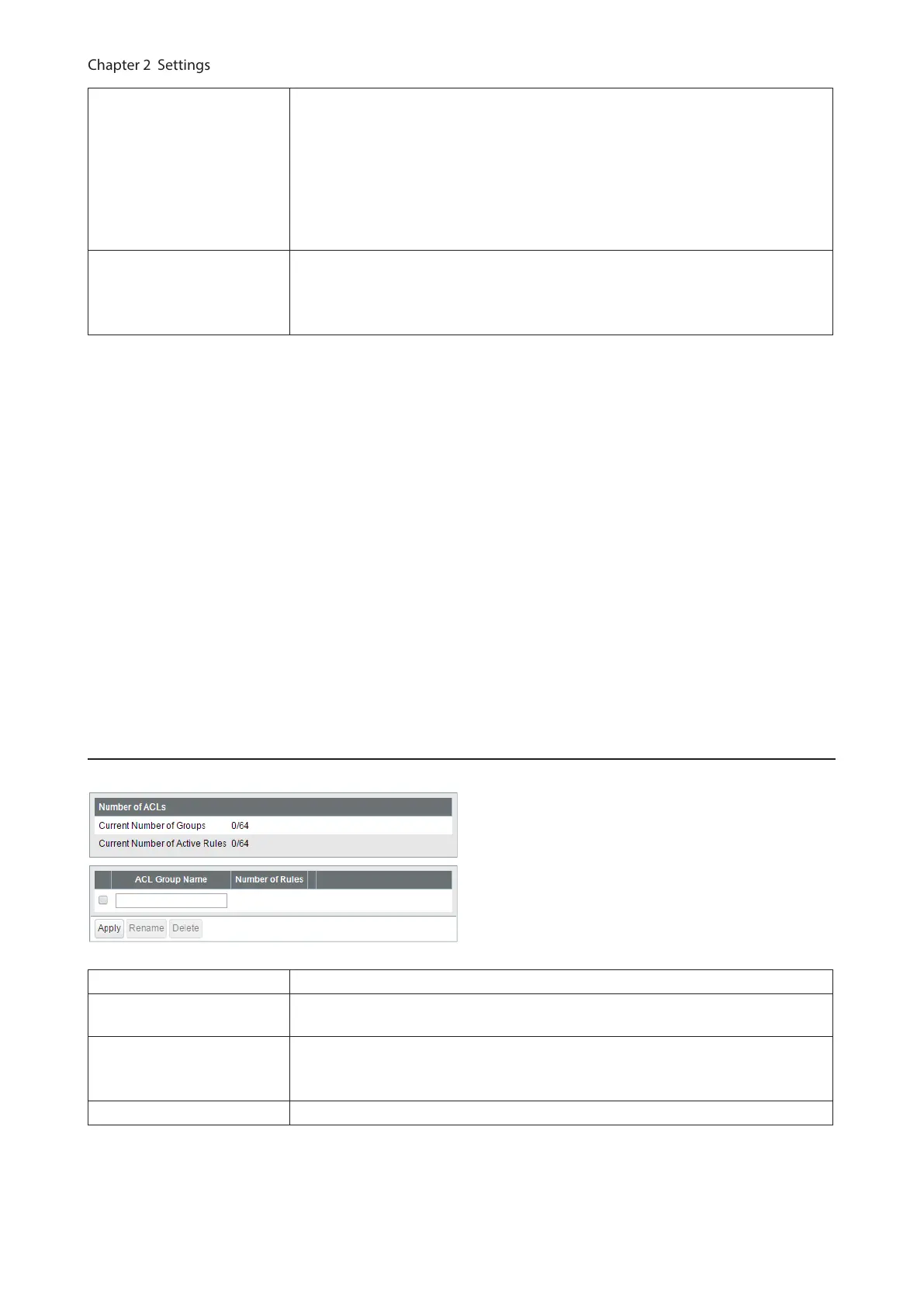
Current Number of Groups Displays the number of ACL groups.
Current Number of Active
Rules
Displays the number of active rules for ACLs.
ACL Group Name
Displays the ACL group name. To create new ACLs, enter the group name and
click [Apply]. Click [Show Detail] to add rules to the ACL group. To change the
group name, select a group, enter the new name and click [Rename].
Number of Rules Displays the number of rules of each ACL group.
66



 To Next Page