Change Switch’s IP Address
To enter Settings, the switch’s web user interface, the switch’s IP address should belong to the same segment as your
PC’s IP address.
1 Connect the switch to your PC and your network with an Ethernet cable (sold separately). Confirm that link/act
LED of the connected port is on.
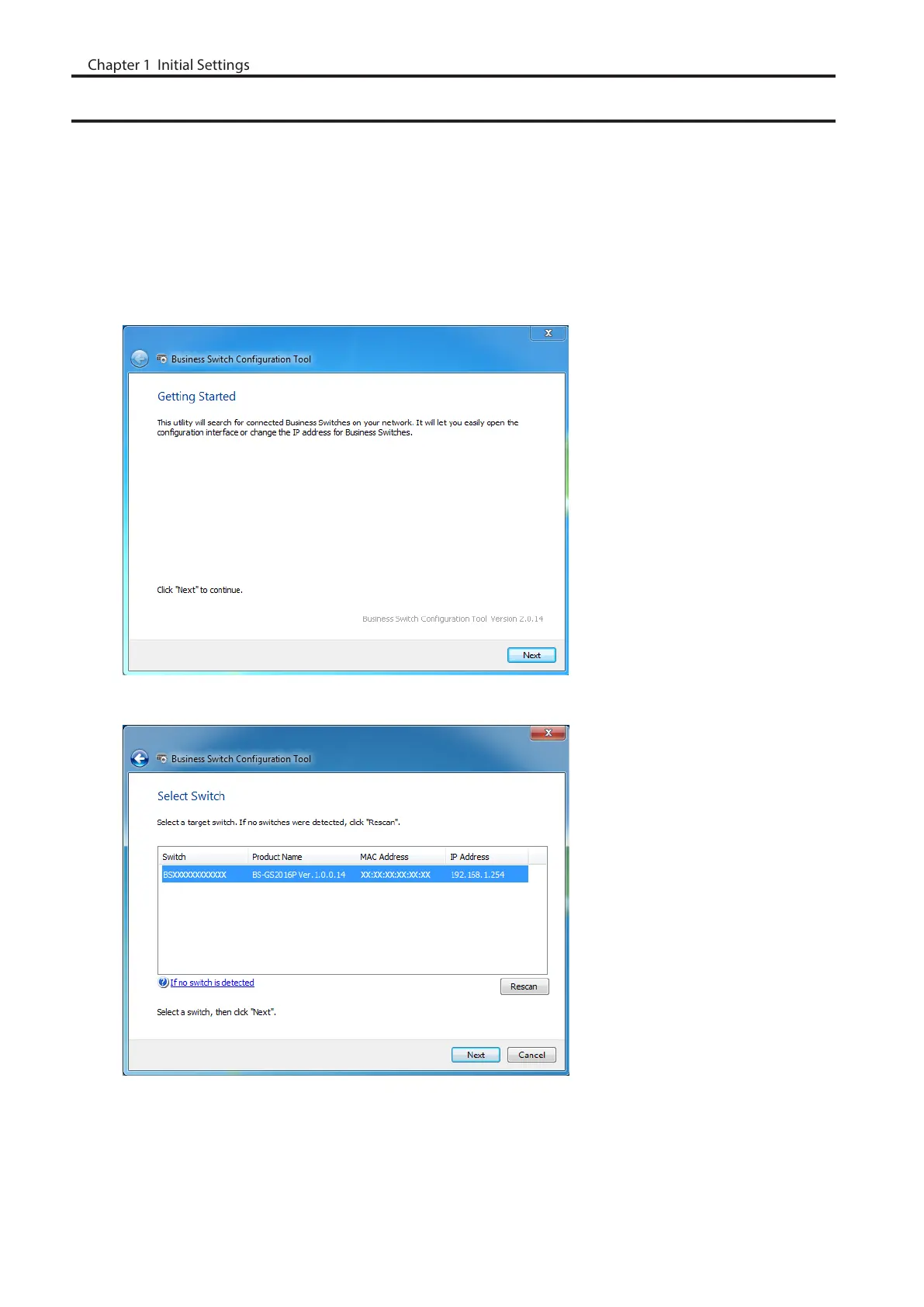
2 Double-click the “Business Switch Configuration Tool” icon to open Business Switch Configuration Tool.
3 Click [Next] to start searching for the switch.
4 Select the switch and click [Next].
7
Chapter 1 Initial Settings



 To Next Page