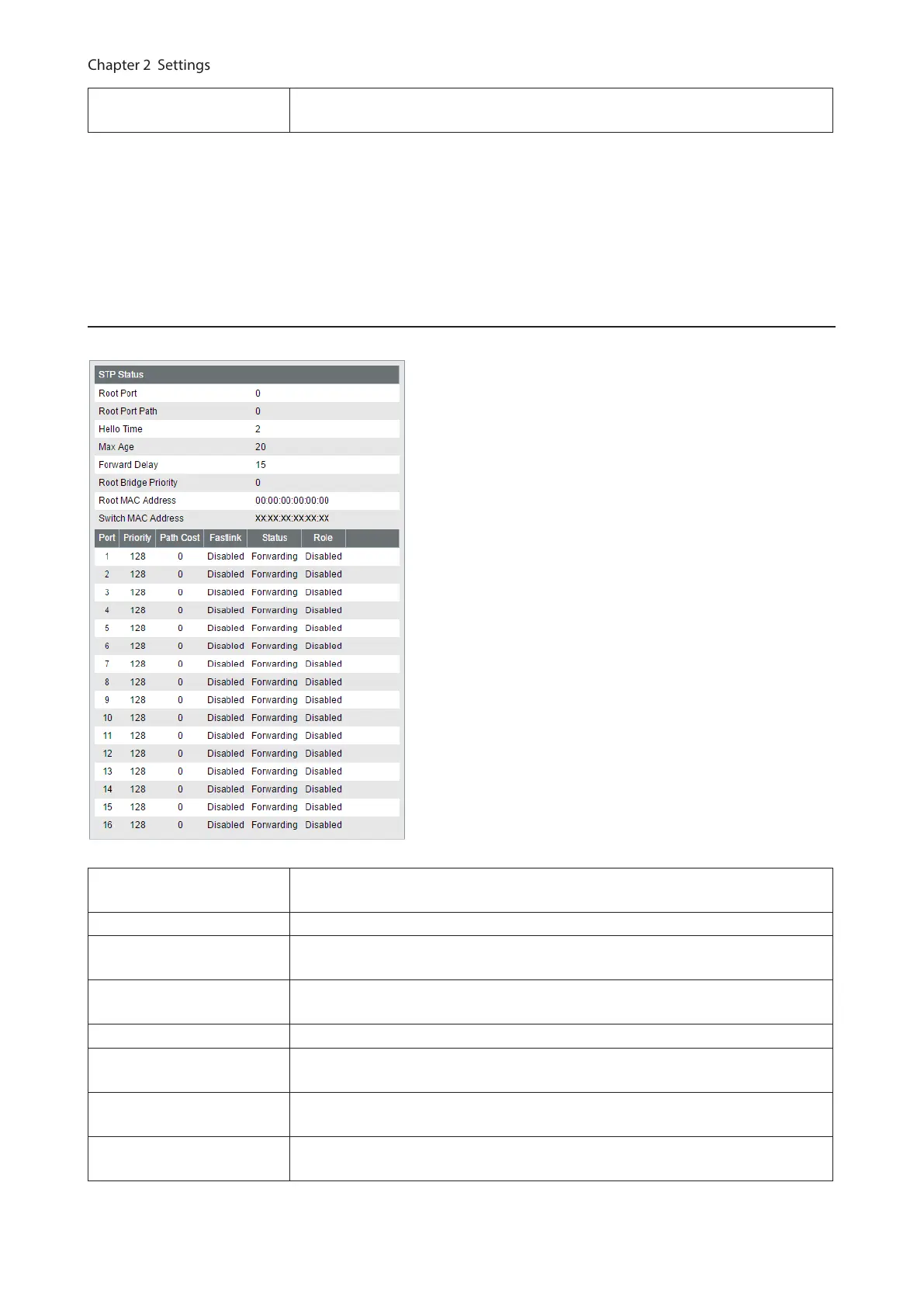
MSTP Status
(MSTP only)
Displays the MSTI configuration status. Select an MSTI ID and click [Edit] to add or
delete the VLAN ID(s) and change the bridge priority value.
Notes:
• To use spanning tree, all devices in the segment must be compatible with spanning tree.
• To configure each items, the following relational expression must be true.
2 x (Forward Delay - 1) ≥ Max Age
Max Age ≥ 2 x (Hello Time + 1)
Status
Displays the STP status of each port.
MSTI/CIST
(MSTP only)
When MSTP is enabled, this page shows the status of each MSTI ID or CIST. Select
an MSTI ID or CIST to display the status.
Root Port Displays the root port. If this switch is the root bridge, “0” is displayed.
Root Port Path
Displays the path cost to the root bridge. If this switch is the root bridge, “0” is
displayed.
Regional Root Port Path
(MSTP only)
Displays the path cost to the CIST root bridge in the MST region.
Hello Time Displays the interval of BPDU transmission when this switch is the root bridge.
Max Age
Displays the maximum time that passes before trying to reconfigure when this
switch doesn’t receive BPDU.
Forward Delay
Displays the time spent in the status changes (listening-learning-forwarding) of
the switch before forwarding packets.
Max Hop Count
(STP/RSTP only)
Displays the maximum hop count of BPDU.
57



 To Next Page