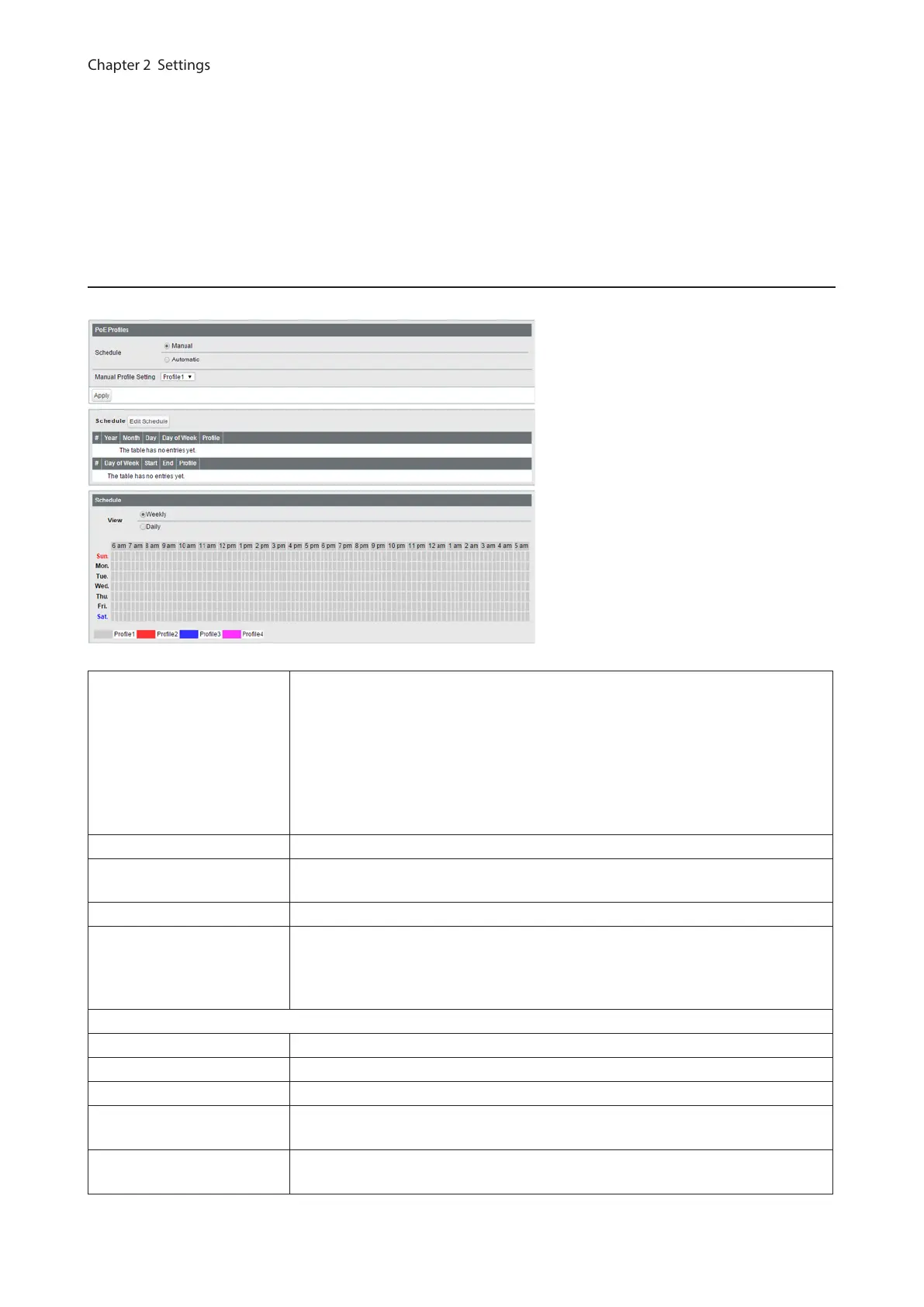
Notes:
• Click [Apply] to apply the current settings to all profiles.
• To use dynamic power feeding by LLDP, configure the status to [Tx and Rx] on the [Basic] - [LLDP] - [LLDP Port]
page.
• If the supplied power exceeds the maximum power, the switch will supply power to the port in the order of the
port number.
Power Profile
Configure the power saving schedule.
Schedule
Manual
Switch the profile manually.
Automatic
Switch the profile automatically in accordance with the settings below.
Note: To set to [Automatic], SNTP must be enabled. If the time cannot be
obtained from SNTP server, the configured profile will be applied in accordance
with the switch’s internal clock.
Manual Profile Setting Select a profile to be used when the schedule is set to [Manual].
Profiles
Displays the list of the profiles. Click [Edit Profiles] to edit the profile.
Note: To edit the profile, set the schedule to [Manual].
Schedule Displays the list of the schedule. Click [Edit Schedule] to edit the schedule.
View
Weekly
Displays the weekly schedule.
Daily
Displays the daily schedule.
The screen appears when [Edit Schedule] is clicked
Unscheduled Profile Select a profile to be used when no schedules are configured.
Specify by Select a timetable type.
Date Enter the date to add to the schedule if “Date” is selected as the timetable type.
Day of Week
Select the day of week to add to the schedule if “Day of week and time” is selected
as the timetable type.
Period
Select the time frame while the schedule is enabled if “Day of week and time” is
selected as the timetable type.
38



 To Next Page