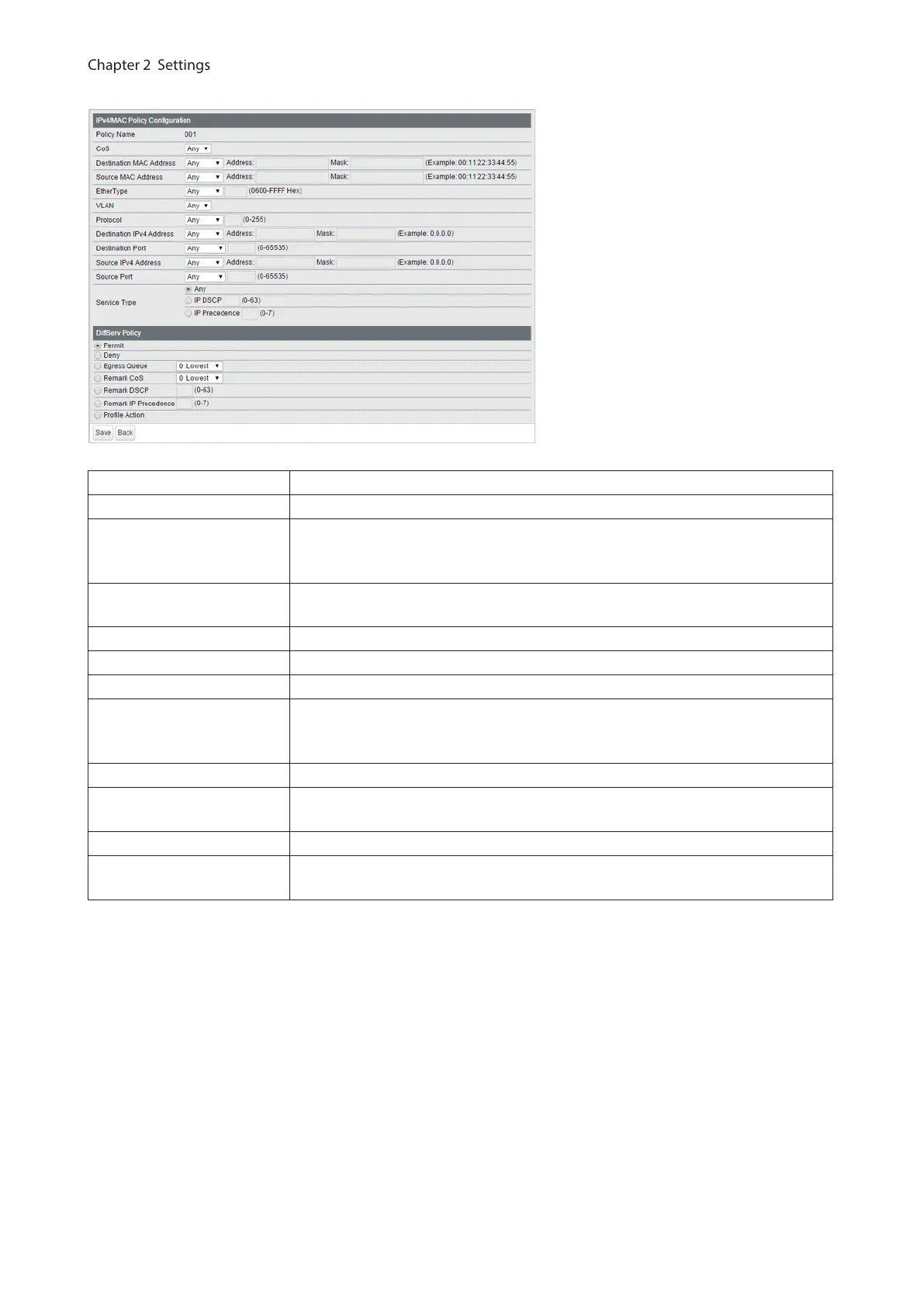
The following screen appears when [Show Detail] is clicked.
Policy Name Displays the selected policy name.
CoS Adds the CoS value to the policy condition.
Destination MAC Address
Adds the frame’s destination MAC address to the policy condition. For
instructions on how to enter the address, refer to “About Address and Mask”
section below.
Source MAC Address
Adds the frame’s source MAC address to the policy condition. For instructions on
how to enter the address, refer to “About Address and Mask” section below.
EtherType Adds the frame’s ether type to the policy condition.
VLAN Adds the frame’s VLAN ID to the policy condition.
Protocol Adds the packet’s protocol to the policy condition.
Destination IPv4 Address
Adds the packet’s destination IPv4 address to the policy condition. For
instructions on how to enter the address, refer to “About Address and Mask”
section below.
Destination Port Adds the packet’s destination port to the policy condition.
Source IPv4 Address
Adds the packet’s source IPv4 address to the policy condition. For instructions on
how to enter the address, refer to “About Address and Mask” section below.
Source Port Adds the packet’s source port to the policy condition.
Service Type
Adds the packet’s service type to the policy condition. Only 1 value can be
specified when “IP DSCP” or “IP Precedence” is selected.
42



 To Next Page