111
i: Setting the ISO SpeedN
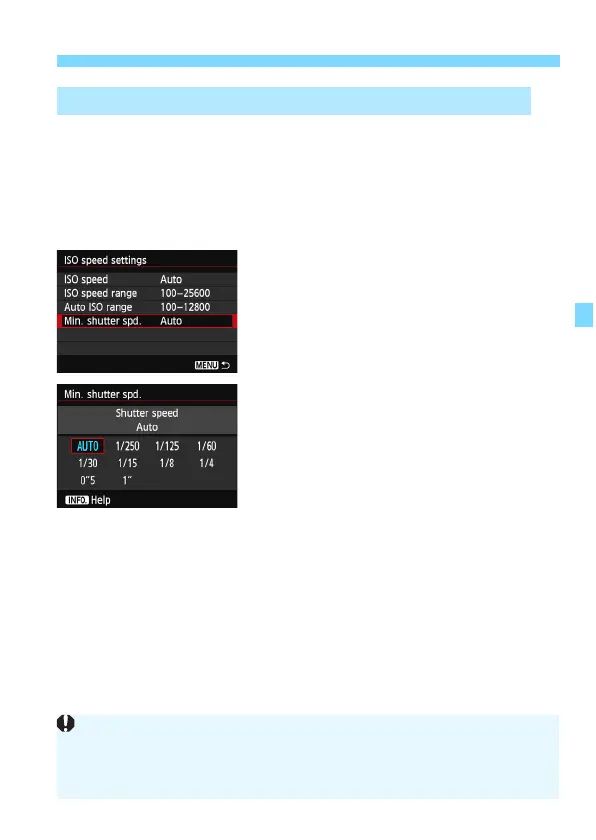
When Auto ISO is set, you can set the minimum shutter speed (1/250
sec. to 1 sec.) so that the automatically-set shutter speed is not too
slow.
This is convenient in the <d> and <f>
modes when you use a wide-
angle lens to shoot a moving subject. You can
minimize both camera
shake and subject blur.
1
Select [Min. shutter spd.].
Select [Min. shutter spd.], then
press <0>.
2
Set the desired minimum shutter
speed.
Press the <U> key to select the
shutter speed, then press <0>.
X The menu reappears.
3 Setting the Minimum Shutter Speed for Auto ISO
If a correct exposure cannot be obtained with the maximum ISO speed
limit set with [Auto ISO range], a shutter speed slower than the [Min.
shutter spd.] will be set to obtain a standard exposure.
With flash photography, [Min. shutter spd.] will not be applied.





 To Next Page