Installing and Removing the Card
32
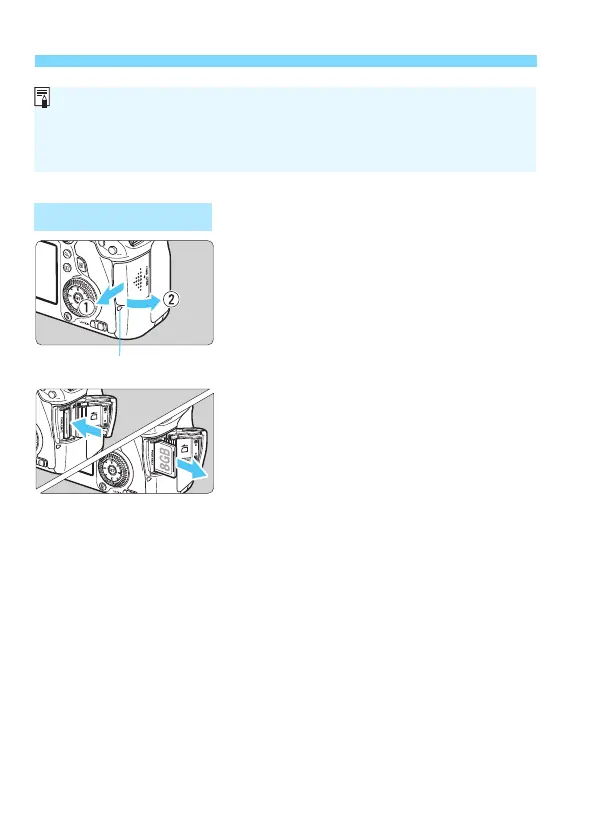
1
Open the cover.
Set the power switch to <2>.
Make sure the access lamp is off,
then open the co
ver.
If [Recording...] is displayed, close
the cover.
2
Remove the card.
Gently push in the card, then let go to
eject it.
Pull the card straight out, then close
the cover.
Removing the Card
The number of possible shots depends on the remaining capacity of the
card, image-recording quality, ISO speed, etc.
Setting [z1: Release shutter without card] to [Disable] will prevent
you from forgetting to insert a card (p.346).
Access lamp






 To Next Page