61
Q Displaying the Electronic Level
The electronic level display in the viewfinder and on the LCD panel
uses the exposure level indicator. Note that the electronic level is only
displayed when shooting in horizontal orientation. It is not displayed in
vertical orientation.
1
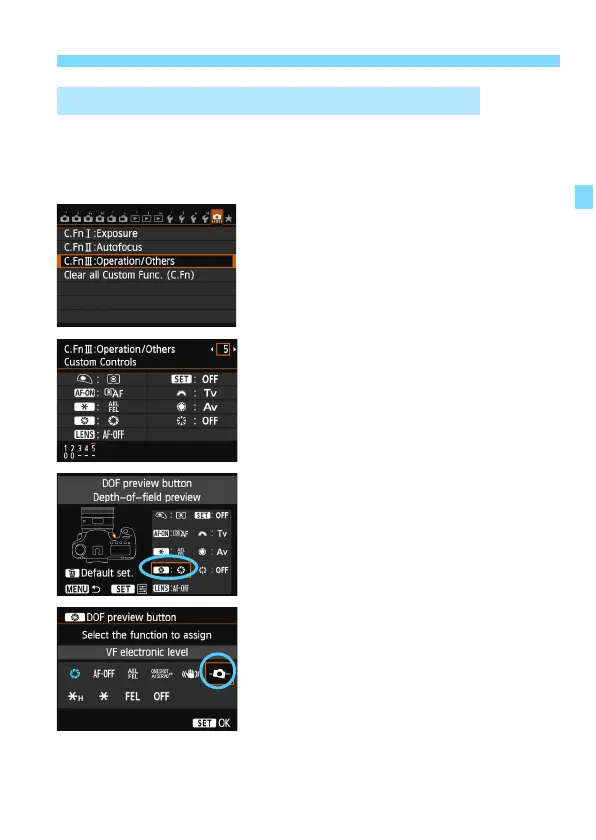
Select Custom Functions III.
Under the [8] tab, select [C.Fn III:
Operation/Others], then press
<0>.
2
Select C.Fn III -5 [Custom
Controls].
Press the <U> key to select [5:
Custom Controls], then press <0>.
3
Select [e].
Select [e: DOF preview button],
then press <0>.
4
Select [
Q
].
Select [Q: VF electronic level],
then press <0>.
P
ress the <M> button to exit the
menu.
Displaying the Electronic Level in the Viewfinder





 To Next Page