391
You can use the provided software to download the images in the
camera to your computer. There are two ways to do this.
1
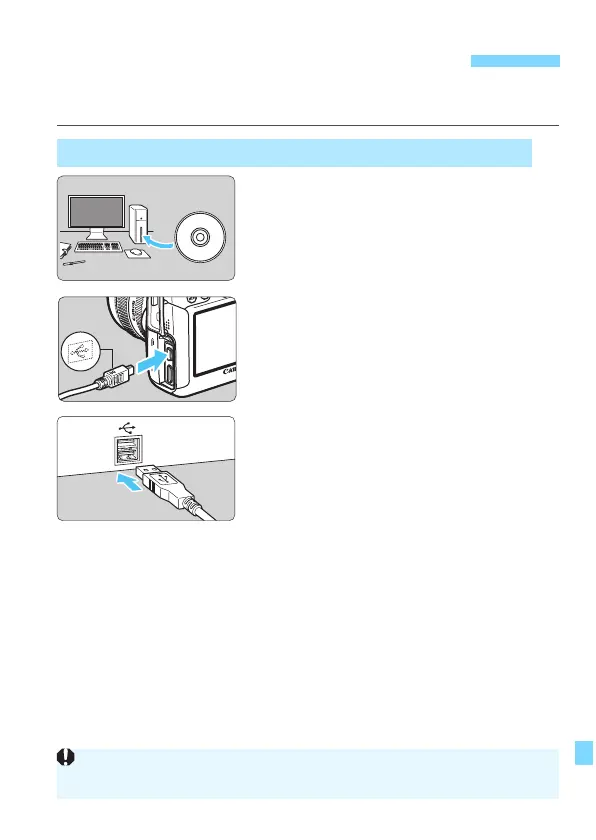
Install the software (p.394).
2
Use the provided interface cable
to connect the camera to your
computer.
Use the interface cable provided with
the camera.
Connect the cable to the camera’s
<C> terminal with the cable
plug’s <D> icon facing the front of
the camera.
Connect the cord’
s plug to the
computer’
s USB terminal.
3
Use EOS Utility to download the
images/movies.
For details, refer to the EOS Utility
Instruction Manual on the DVD-ROM
(p.393).
Downloading Images to a Computer
Download by Connecting the Camera to the Computer
Under the [53] tab, if [Wi-Fi] is set to [Enable], the camera cannot connect
to a computer. Set [Wi-Fi] to [Disable], then connect the interface cable.






 To Next Page