246
You can rotate the displayed image to the desired orientation.
1
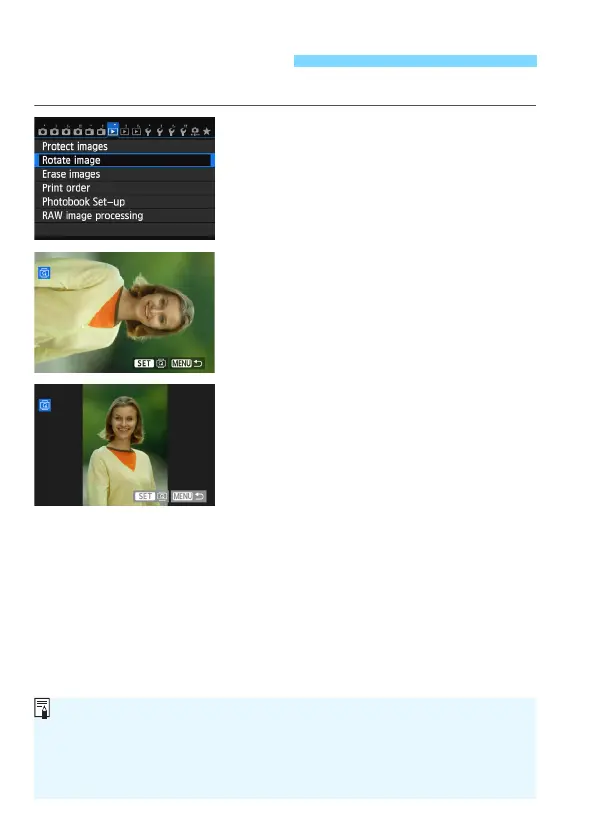
Select [Rotate image].
Under the [31] tab, select [Rotate
image], then press <0>.
2
Select an image.
Turn the <5> dial to select the
image to be rotated.
You can also select an image on the
index display (p.242).
3
Rotate the image.
Each time you press <0>, the
image will rotate clockwise as follows:
90° 270° 0°.
T
o rotate another image, repeat steps
2 and 3.
T
o return to the menu, press the
<M> butt
on.
b Rotating the Image
If you have set [51: Auto rotate] to [OnzD] (p.270) before taking
vertical shots, you need not rotate the image as described above.
If the rotated image is not displayed in the rotated orientation during
image playback, set [51: Auto rotate] to [OnzD].
A movie cannot be rotated.





 To Next Page