71
In the <C> mode, you can easily change the depth of field and drive
mode. You can also choose the ambience you want to convey in your
images. The default settings are the same as the <A> mode.
* CA stands for Creative Auto.
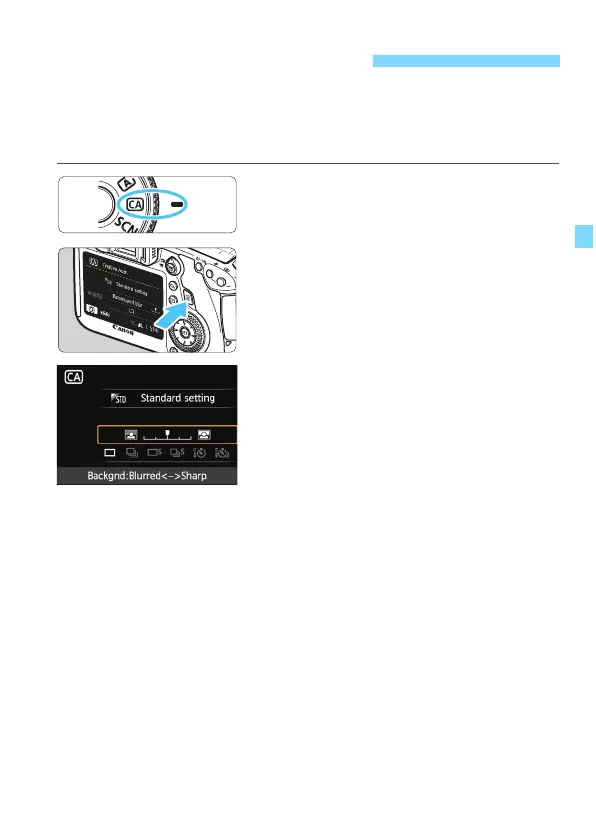
1
Set the Mode Dial to <C>.
2
Press the <Q> button. (7)
X The Quick Control screen will appear.
3
Set the desired function.
Press the <V> key to select a
function.
X The selected function and Feature
guide (p.63) will appear.
For setting procedure and details on
each
function, see pages 72-73.
4
Take the picture.
Press the shutter button completely to
take the picture.
C Creative Auto Shooting






 To Next Page