38
1
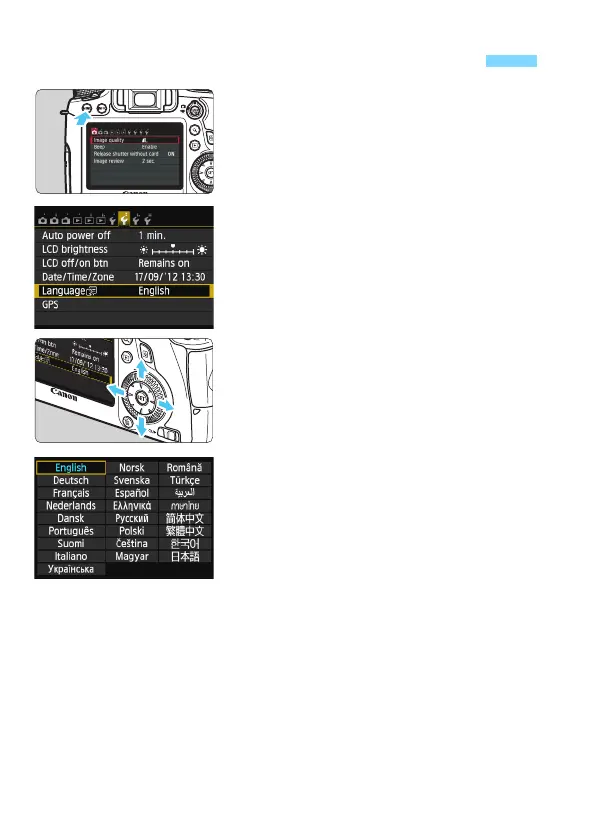
Display the menu screen.
Press the <M> button to display
the menu screen.
2
Under the [52] tab, select
[LanguageK].
Press the <U> key to select the
[52] tab.
Press the <V> key to
select
[Language
K], then press <0>.
3
Set the desired language.
Press the <V> key to select the
language, then press <0>.
X The interface language will change.
3 Selecting the Interface Language






 To Next Page