320
You can assign often-used functions to camera buttons or dials
according to your preferences.
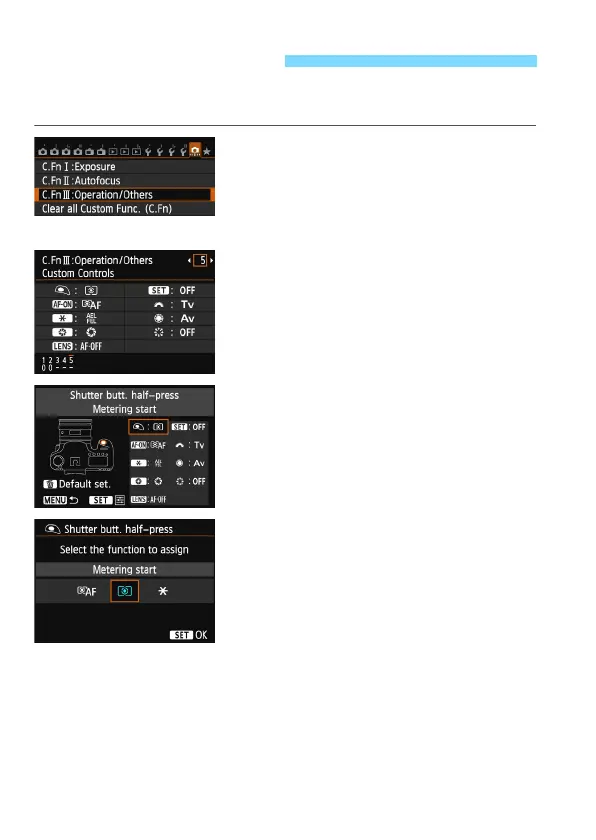
1
Select [C.Fn III: Operation/
Others].
Under the [8] tab, select [C.Fn III:
Operation/Others], then press
<0>.
2
Select [5]:[Custom Controls].
Select [5]:[Custom Controls], then
press <0>.
X The Custom Controls screen will
appear.
3
Select a camera button or dial.
Select a camera button or dial, then
press <0>.
X The name of the camera control and
the assignable functions will be
displayed.
4
Assign a function.
Select a function, then press <0>.
5
Exit the setting.
When you press <0> to exit the
setting, the screen in step 3 will
reappear.
P
ress the <M
> button to exit.
8: Custom Controls






 To Next Page