49
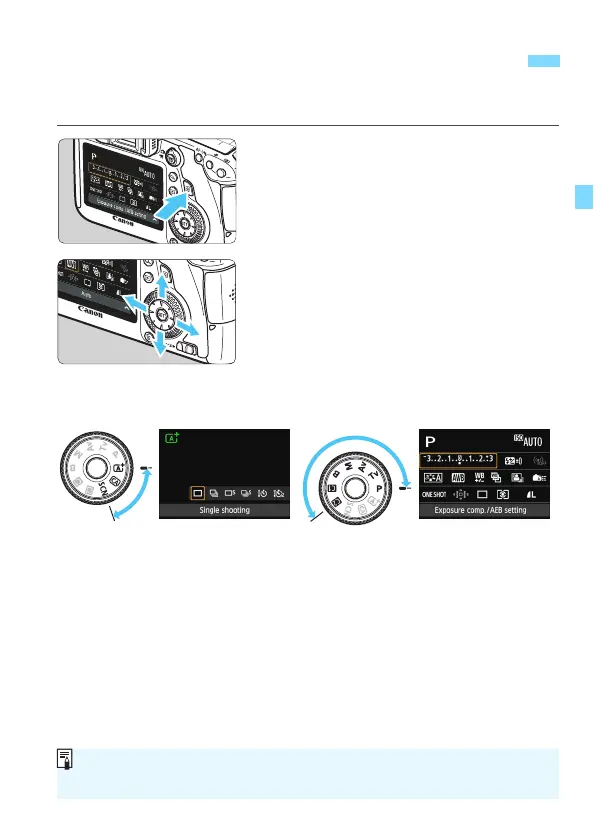
You can directly select and set the shooting functions displayed on the
LCD monitor. This is called the Quick Control screen.
1
Press the <Q> button.
X The Quick Control screen will appear
(7).
2
Set the desired function.
Press the <V> <U> key to select
a function.
X The setting of the selected function is
displayed.
Turn the <6> or <5> dial to
change the setting
.
3
Take the picture.
Press the shutter button completely to
take the picture.
X The captured image will be displayed.
Q Quick Control for Shooting Functions
Basic Zone modes Creative Zone modes
For the functions settable in Basic Zone modes and the setting procedure,
see page 83.






 To Next Page