166
When you use the self-timer, bulb, or Remote Switch and do not look
through the viewfinder, stray light entering the viewfinder can cause the
image to look dark. To prevent this, use the eyepiece cover (p.27)
attached to the camera strap.
During Live View shooting and movie shooting, attaching the eyepiece
cover is unnecessary.
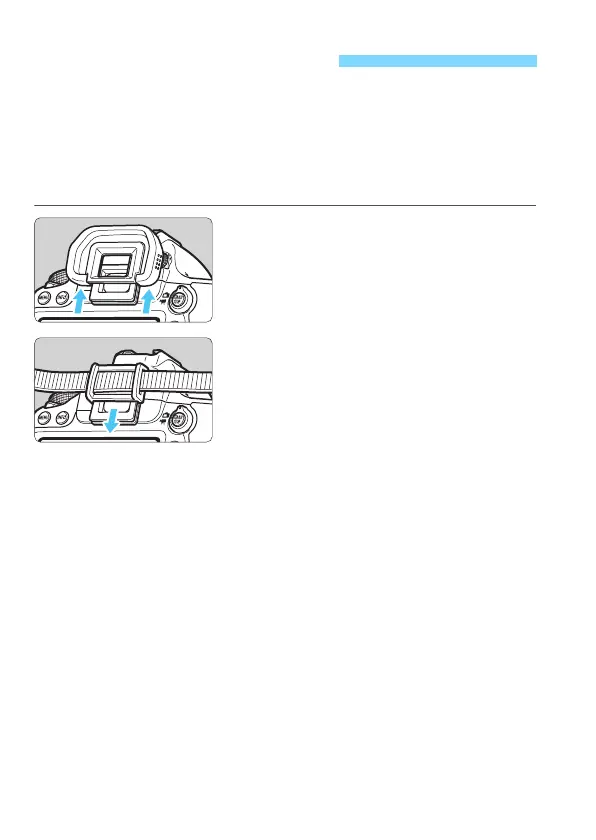
1
Detach the eyecup.
Push the bottom of the eyecup to
detach.
2
Attach the eyepiece cover.
Slide the eyepiece cover down into
the eyepiece groove to attach it.
After taking the picture, detach the
eyepiece cover and attach the
eyecup by sliding it down into the
eyepiece groove.
Using the Eyepiece Cover






 To Next Page