192
The AF methods available are [FlexiZoneAF
(Single)], [u Live
mode] (face detection, p.193), and [Quick mode] (p.197).
If you want to achieve precise focus, set the lens focus
mode switch to
<MF>, magnify the image, and focus manually (p.199).
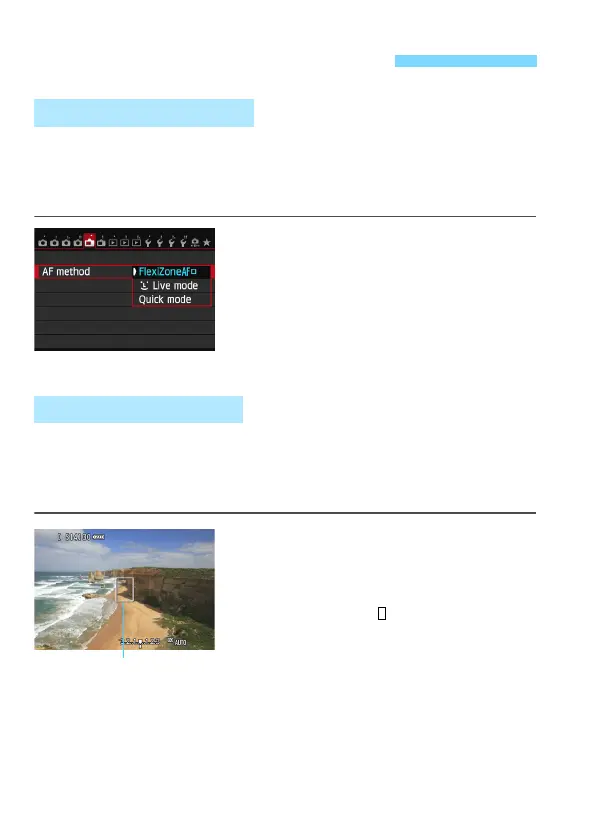
Select the AF method.
Under the [A1] tab, select [AF
method].
While the Live
View image is
displayed, you can also press the
<f>
button to select the AF method
on the setting screen.
The image se
nsor is used to focus. Although AF is possible with the
Live View image displayed, the AF op
eration will take longer than
with the Quick mode. Also, achieving focus may be mor
e difficult than
with the Quick mode.
1
Display the Live View image.
Press the <0> button.
X The Live View image will appear on
the LCD monitor.
X The AF point < > will appear.
2
Move the AF point.
You can use <9> to move the AF
point to where you want to focus. (It
cannot go to the edges of the picture.)
T
o return the AF point to the center,
press the <0> or <L> button.
Using AF to Focus (AF Method)
Selecting the AF Method
FlexiZone - Single: d
AF point






 To Next Page