175
3 Setting the FlashN
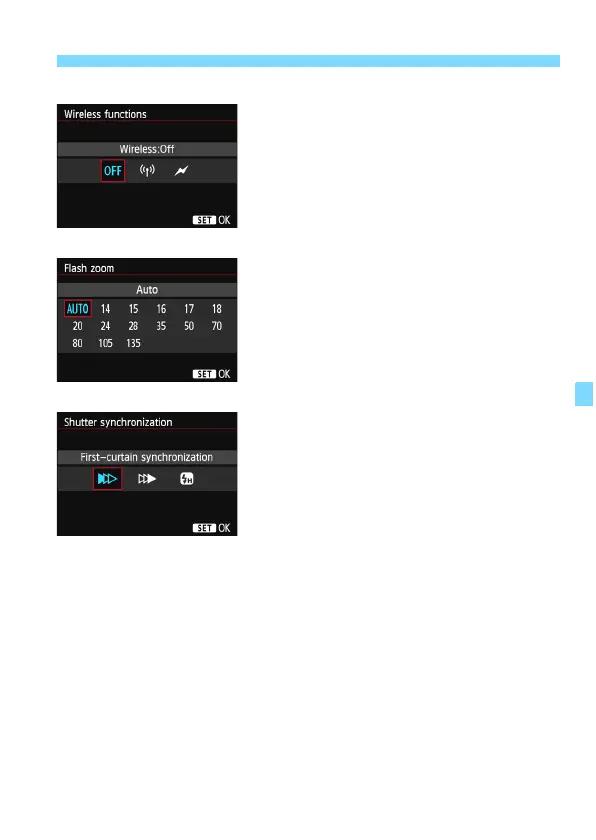
Wireless functions
Wireless (multiple) flash shooting is
possible with radio or optical
transmission. For details on wireless
flash, refer to the Speedlite’s instruction
manual.
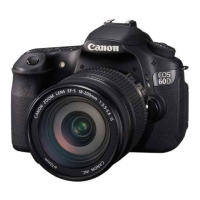
Flash zoom (Flash coverage)
With Speedlites having a zo
oming flash
head, you can set the flash coverage.
Normally, set this to [
AUTO] so that the
camera will automatically set the flash
coverage to match the lens focal length.
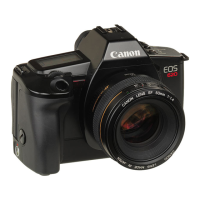
Shutter synchronization
Normally, set this to [First
-curt
ain
synchronization] so that the flash fires
immediately after the exposure starts.
If [Second-curtain synchronization] is set, the flash will fire right
befo
re the shutter closes. Whe
n this is combined with a slow shutter
speed, you can create a trail of light such as from car headlights at
night. With Second-curtain synchronization, two flashes will be fired:
Once when you press the shutter button completely, and once
immediately before the exposure ends.
If [High-speed synchronization] is set, the flash can be used at all
shutter
speeds. This is es
pecially effective for portraits using fill flash
when you want to give priority to the aperture setting.





 To Next Page