3 Slide Show (Auto Playback)
258
3
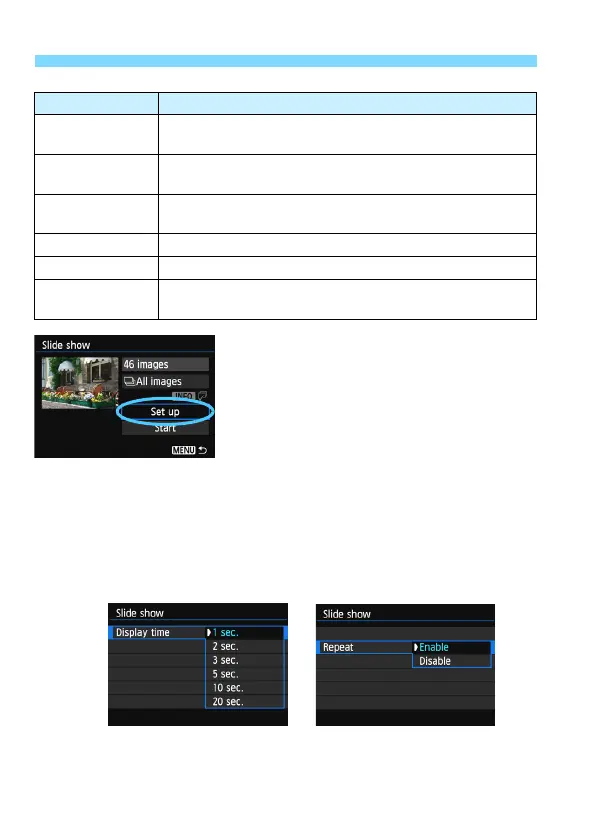
Set [Set up] as desired.
Press the <V> key to select [Set
up], then press <0>.
Set the [Display time], [Repeat]
(rep
eated playback), [Transition
effect] (effect when
changing
images), and [Background m
usic]
for the still photos.
The background
music selection
procedure is explained on page 260.
Af
ter selecting the settings, press the
<M> button.
Item Playback Description
jAll images
All the still photos and movies on the card will be played
back.
iDate
Still photos and movies taken on the selected shooting
date will be played back.
nFolder
Still photos and movies in the selected folder will be
played back.
kMovies Only the movies on the card will be played back.
zStills Only the still photos on the card will be played back.
9Rating
Only the still photos and movies with the selected rating
will be played back.
[Display time]
[
Repeat]






 To Next Page