273
R Processing RAW Images with the CameraN
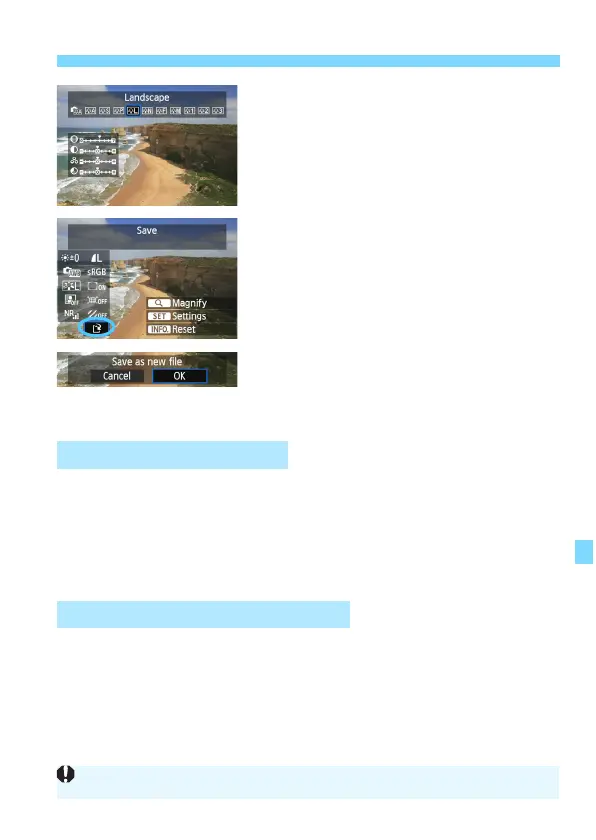
Displaying the setting screen
Press <0> to display the setting
screen. Turn the <5> dial to change
the setting. To finalize the change and
retur
n to the screen in step 3, press
<0>.
4
Save the image.
Select [W] (Save), then press <0>.
Select [OK] to save the image.
Check the destination folder and
image file number
, then select [OK].
T
o process another image, repeat
steps 2 to 4.
T
o return to
the menu, press the
<M> button.
You can magnify the ima
ge by pressing the <u> button in step 3. The
magnification w
ill differ depending on the pixel count of [Image quality]
set in [RAW image processing]. With <9>, you can scroll around the
magn
ified image.
To cancel the ma
gnified view, press the <u> button again.
Images shot in a Live View shooting aspect ratio ([4:3] [16:9] [1:1]) will
be d
isplayed in the respective asp
ect ratio. JPEG images will also be
saved in the set aspect ratio.
About the Magnified View
Images with Aspect Ratio Setting
When Wi-Fi function is used, RAW image processing cannot be performed.





 To Next Page