47
Basic Operation
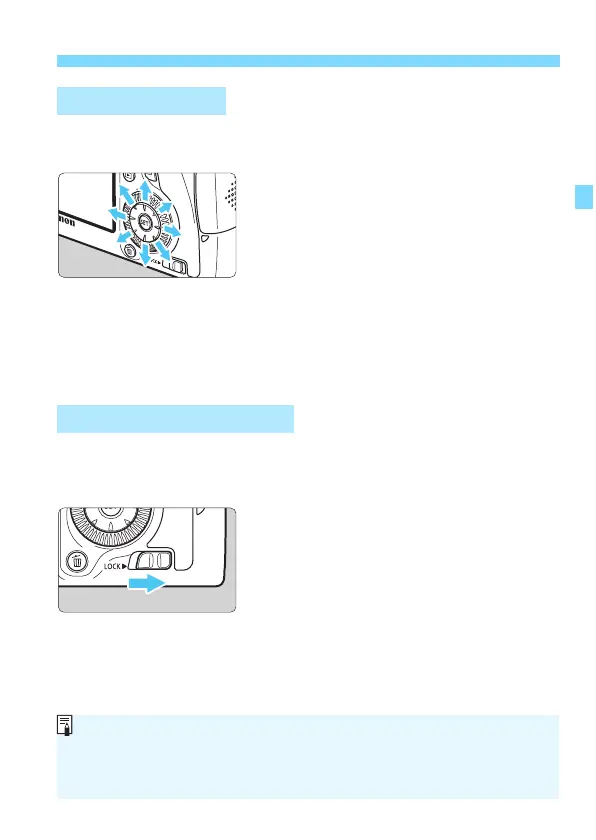
The Multi-controller <9> has eight keys which tilt in the directions
shown by the arrows.
Use
the eight keys to select the AF
point, correct the white balance,
move th
e AF point or magnifying
frame during Live View shooting,
scroll around magnified images
during playback, etc.
For
menus and the Quick Control, the
Multi-controller works only in the
ver
tical and horizontal directions
<V> <U>. It does not work in
diagonal directions.
With [8C.Fn III -3: Multi function lock] set (p.313) and the <R>
switch set to the right, it prevents the Main Dial, Quick Control Dial, and
Multi-controller from moving and changing a setting inadvertently.
<R>
switch set to the left:
Lock released
<R> switch set
to the right:
Lock engaged
9 Multi-controller
R Multi function Lock
If the <R> switch is set to the right and you try to use one of the locked
camera controls, <L> will be displayed in the viewfinder and on the LCD
panel. On the shooting function settings display (p.48), [LOCK] will be
displayed.






 To Next Page