85
Shoot by Ambience Selection
Press the <U> key to select the
desired ambience.
X The LCD monitor will display how the
image will look with the selected
ambience.
5
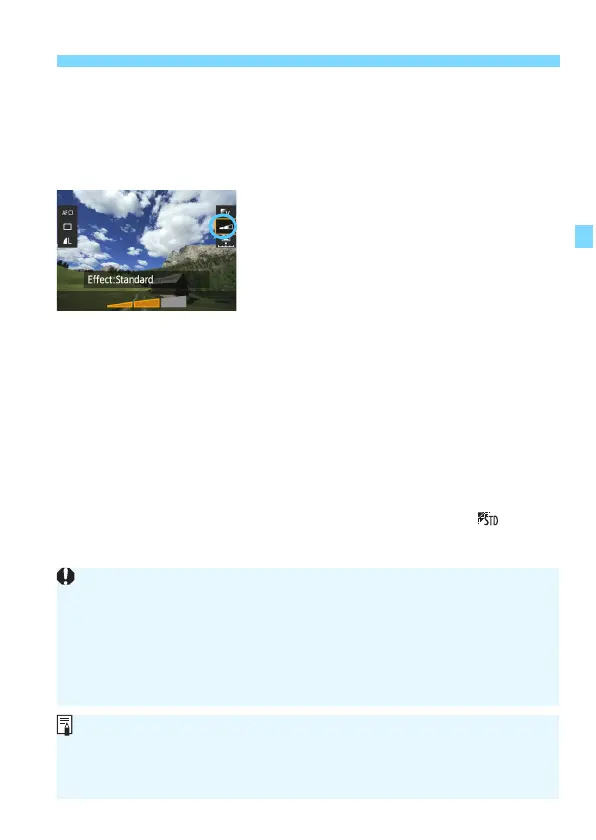
Set the ambience effect.
Press the <V> key to select the
effect bar so that [Effect] appears at
the bottom.
P
ress the <U> key to select the
desired
effect.
6
Take the picture.
Press the shutter button completely to
take the picture.
T
o return to viewfinder shooting,
press the <0> button to exit Live
V
iew shooting. Then pr
ess the shutter
button completely to take the picture.
If you
change the shooting mode or
set the power switch to <2>, the
setting will revert back to
[
Standard set
ting].
The Live View image shown with the ambience setting applied will not
look exactly the same as the actual photo.
Using flash may minimize the ambience effect.
In bright outdoors, the Live View image you see on the screen may not
have exactly the same brightness or ambience as the actual photo. Set
[52: LCD brightness] to 4 and look at the Live View image while the
screen is unaffected by stray light.
If you do not want the Live View image to be displayed when setting
functions, press the <Q> button after step 1. When you press the <Q>
button, the Quick Control screen is displayed and you can set [Ambience-
based shots] and [Effect], then shoot with the viewfinder.






 To Next Page