79
Focus
Using the RF lens's focus ring
- You can change the direction of the adjustment when operating the focus ring with the > [B System
Setup] > [Focus Ring Dir.] setting.
- You can link the amount of focus adjustment when using the focus ring to either the rotation angle or the
rotation speed with the > [B System Setup] > [Focus Ring Response] setting.
- When the lens is set to autofocus, you can enable/disable manual adjustments with the >
[B System Setup] > [Focus Ring Operation] setting.
Using the Focus Assistance Functions
In order to focus more accurately, you can use the following focus assistance functions: Dual Pixel Focus Guide,
an onscreen guide that shows you if the selected subject is in focus; peaking, which creates a clearer contrast
by emphasizing the outlines of the subject; and magnification, which enlarges the image on the screen. You can
use peaking and the focus guide or peaking and magnification simultaneously for greater effect.
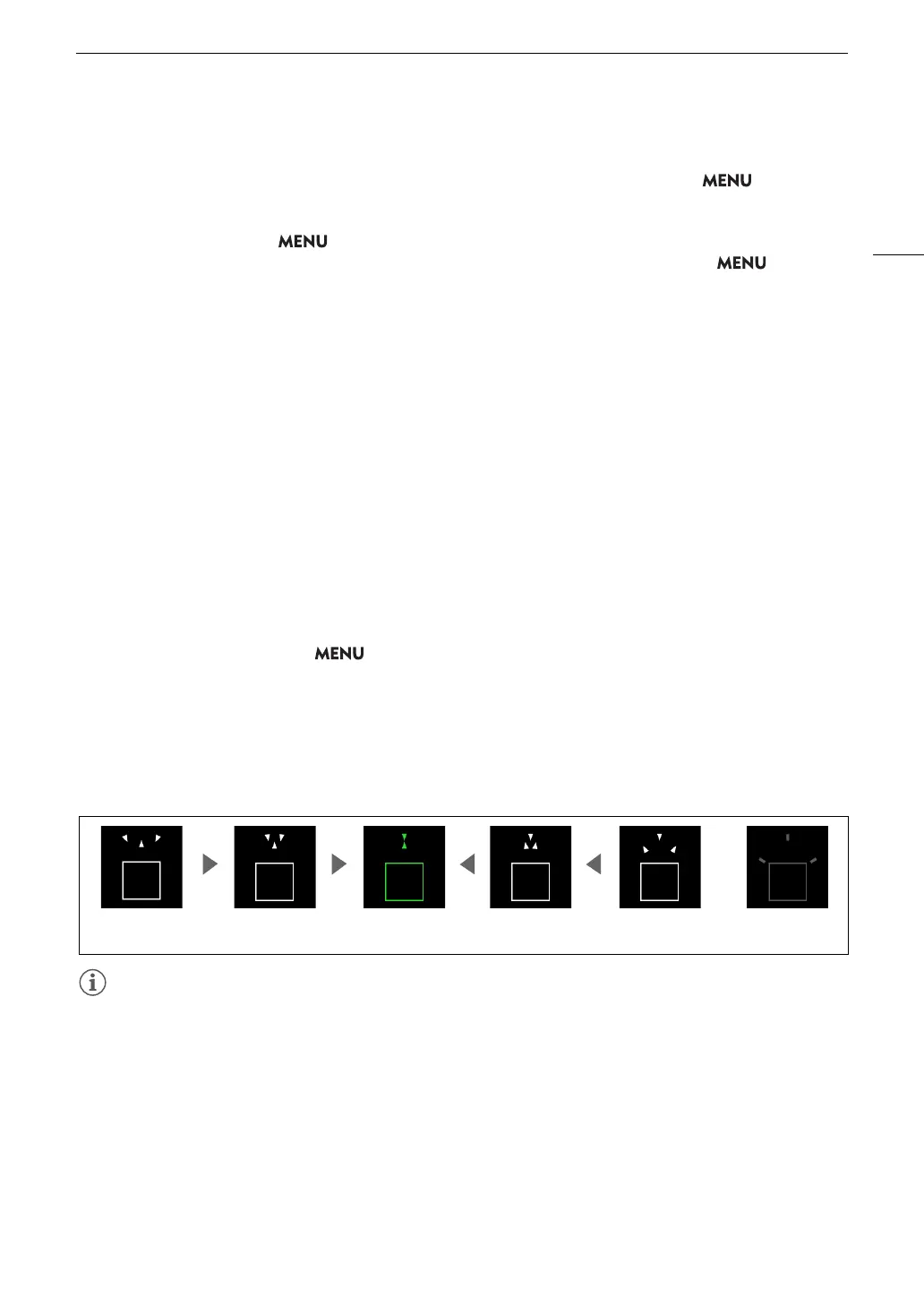
Focus guide
The focus guide gives you an intuitive visual indication of the current focus distance and the direction and
amount of adjustment necessary to bring the selected subject into full focus. When used in combination with
subject detection (A 84), the guide will focus as follows: if set to [People] / [Animals], on the face (or body, if a
face cannot be detected) of the subject. If [Eye Detection] is set to [On], the guide will focus on the vicinity of the
eyes of the detected person or animal.
1 Set the focus mode on the lens to manual (A 78).
2 Using direct touch control (A 54), you can touch the [Focus Guide] switch to turn on/off the focus guide.
• Alternatively, you can use the > [
A
Assistance Functions] > [Focus Guide] setting or an assignable
button set to [Focus Guide], to display/hide the focus guide.
3 Touch the point where you want to focus on the LCD screen to move the focus guide.
• You can also use the joystick to move the focus guide’s frame. Press SET or the CANCEL button to return
the focus guide’s frame to the center of the screen.
4 Adjust the focus manually as necessary.
• When the focus guide turns green, the subject is correctly focused.
• With subjects or in situations where autofocus may not work well (A 82), the focus guide may not work
correctly.
• The focus guide cannot be used in the following cases:
- While the focus is being adjusted automatically using one-shot AF or continuous AF.
- When a manual focus lens is attached to the camera, except for compatible RF/EF Cinema lenses (A 242).
In focus
(in green)
Focus farther
(large adjustment)
Focus farther
(small adjustment)
Focus closer
(small adjustment)
Focus closer
(large adjustment)
Cannot determine
adjustment



 To Next Page