Focus
80
Peaking
The camera offers two peaking levels.
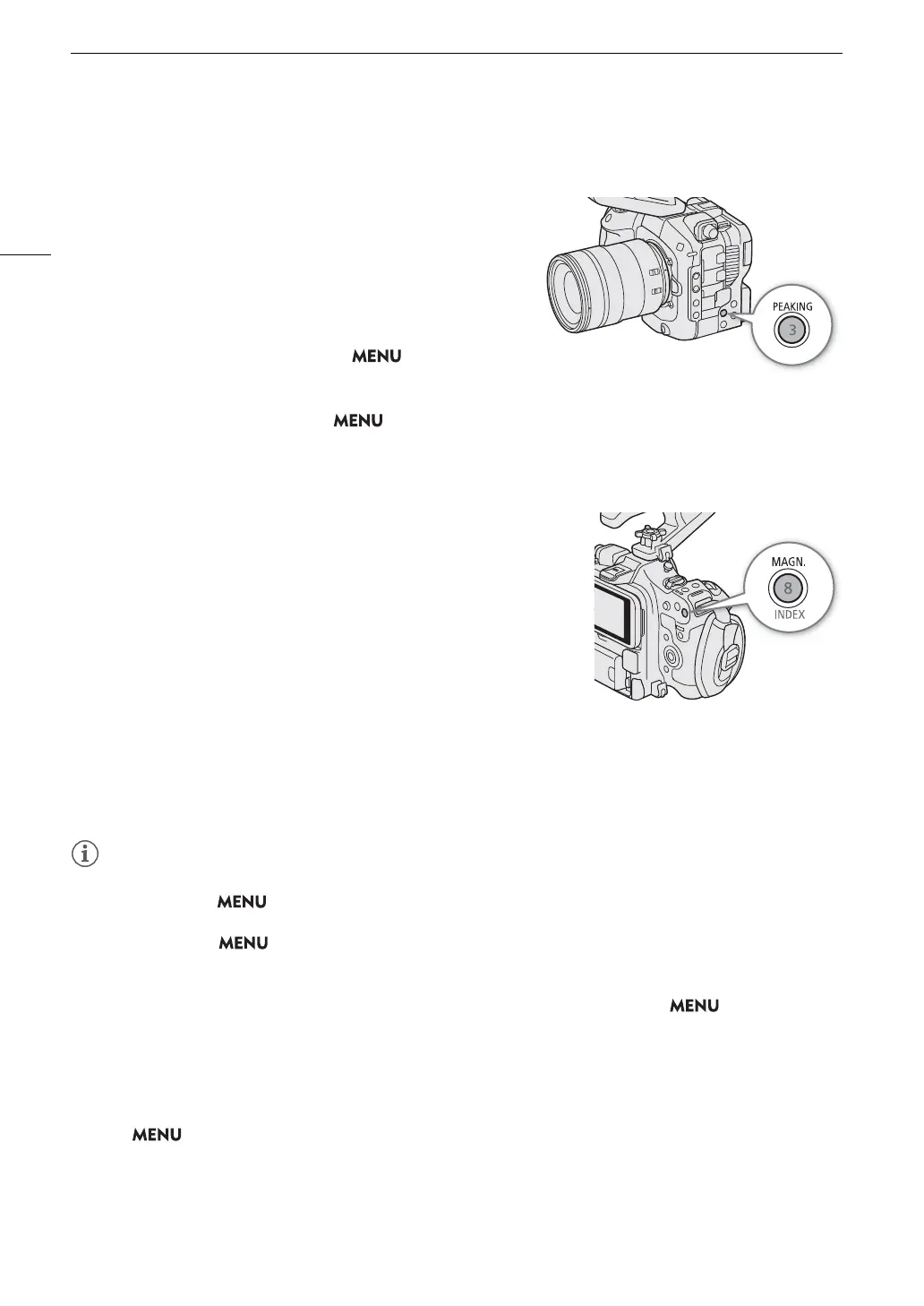
1 Press the PEAKING button.
• The peaking icon (
J
or
K
) appears on the left of the
screen and outlines (contour lines) in the image that are in
focus will be shown highlighted.
• Press the button again to turn off peaking.
• You can use direct touch control (A 54) to turn the
[Peaking 1]/[Peaking 2] setting on/off.
• Alternatively, you can use one of the > [
A
Assistance
Functions] > [Peaking:] settings to turn the peaking function
on/off separately on the respective terminal/output destination.
2 To change the peaking level, select > [A Assistance Functions] > [Peaking] > [Peaking 1] or
[Peaking 2].
Magnification
1 Press the MAGN. button.
•
^
appears on the left of the screen and the center of the
screen* is magnified 2 times.
• The orange frame displayed on the top right of the screen
(magnification frame) shows the approximate part of the image
shown magnified.
• Press SET to change the magnification setting in the following
order: 2x 5x 10x.
2 If necessary, use the joystick to move around the magnification frame
and check other parts of the image.
• You can also drag your finger across the LCD screen to move the frame.
• Press the CANCEL button to return the magnification frame to the center position.
• Press the MAGN. button again to cancel the magnification.
* If one of the AF frames or a subject detection frame is displayed on the screen, the area around the active frame will be magnified
instead.
• About Peaking/Magnification:
- You can use the > [
A
Assistance Functions] > [Peaking 1] and [Peaking 2] settings to set the color,
gain and frequency of the two peaking levels independently of each other.
- You can use the > [
A
Assistance Functions] > [Magn. Output] setting to select where to show the
magnified image.
- The assistance functions will not affect your recordings.
- Magnification will be turned off if you change the video configuration (A 57), turn > [v Camera
Setup] > [Digital IS] on/off, or if you turn slow & fast motion recording on/off while the magnified image is
displayed.
• This function is not applied to the output destination of the HDMI OUT terminal when [HDMI RAW] is set to
[On].
• Peaking/magnification are not available while the color bars are displayed.
• When > [
A
Assistance Functions] > [B&W during Magn.] is set to [On], the screen is set to black and
white during magnification. The assistance functions will not affect your recordings.
• Magnification cannot be displayed under the following conditions.
- When [Sensor Mode] is set to [Full Frame] or [Super 35mm (Cropped)] and the slow & fast motion recording
frame rate exceeds 60P.



 To Next Page