COPYRIGHT
©
1999 CANON INC. CANON GP160 REV.0 FEB. 1999 PRINTED IN JAPAN (IMPRIME AU JAPON)
CHAPTER 11 INSTALLATION
11-6
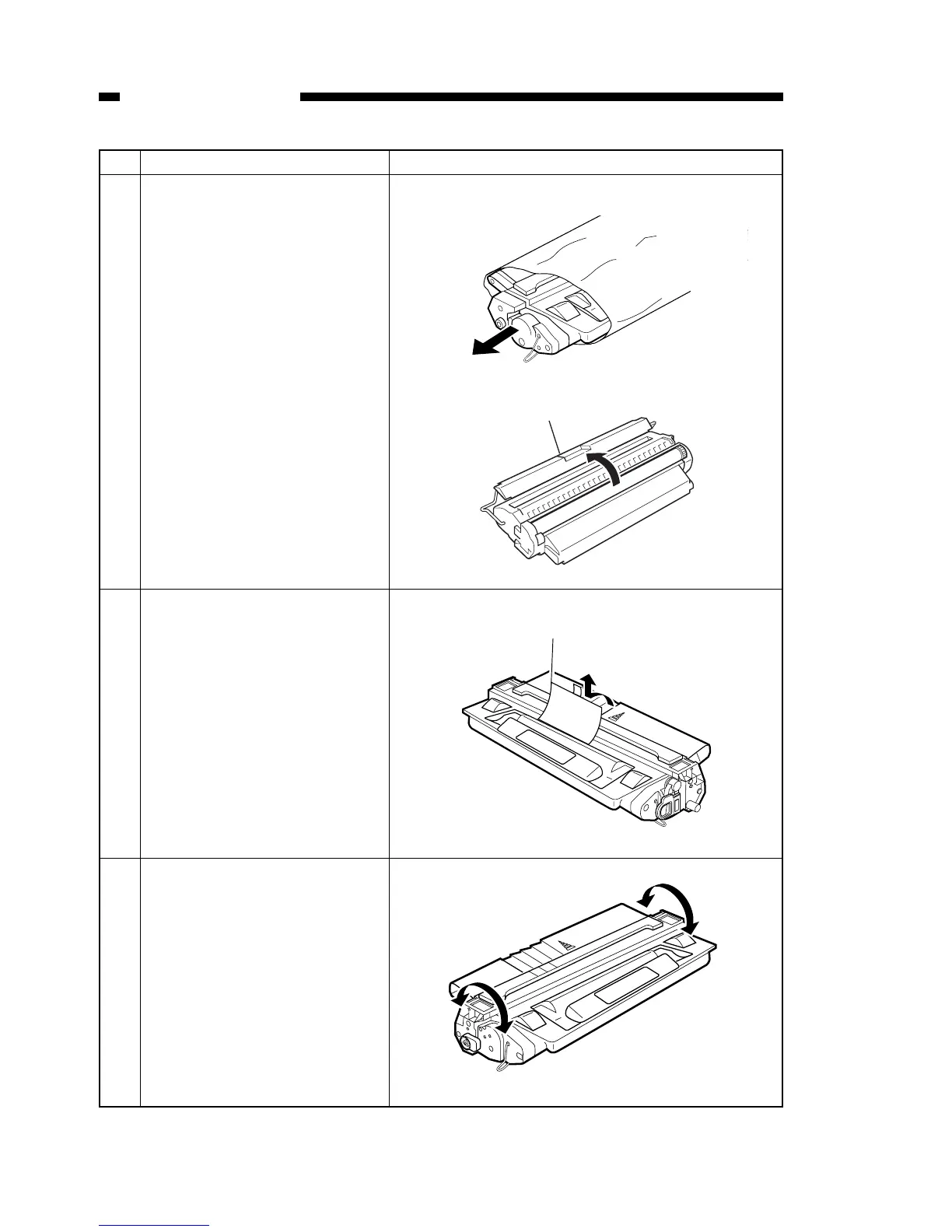
No. Work details Illustration/ remarks
3 Remove the cartridge from the
pack. Be sure not to touch or
open the light-blocking shutter.
4 Take the protective sheet off the
cartridge.
5 While keeping the cartridge in
the position depicted in the fig-
ure, using the center as an axis,
slowly shake the cartridge in
both directions seven or eight
times, as if rotating it.


 To Next Page