COPYRIGHT
©
1999 CANON INC. CANON GP160 REV.0 FEB. 1999 PRINTED IN JAPAN (IMPRIME AU JAPON)
CHAPTER 11 INSTALLATION
11-7
No. Work details Illustration/ remarks
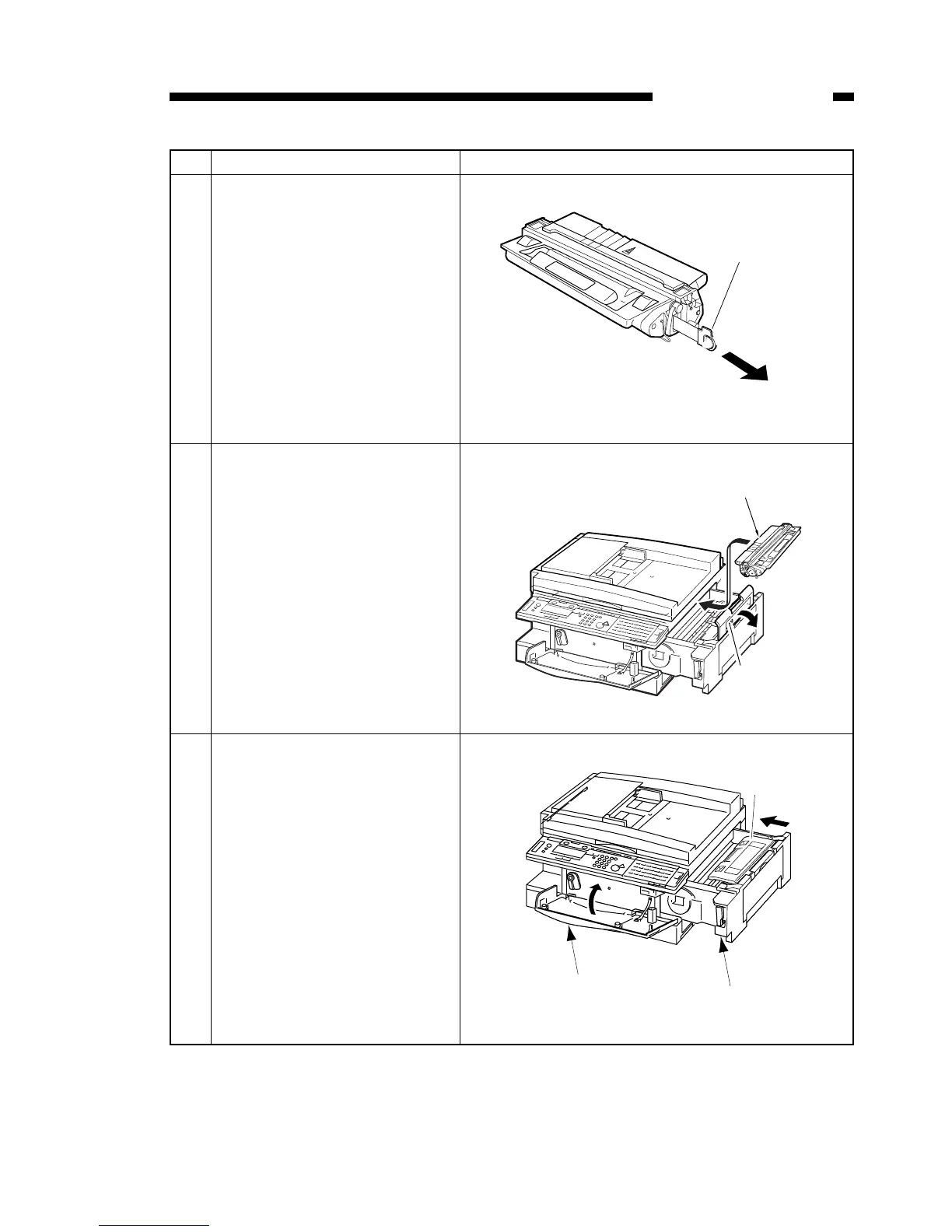
6 While holding the knob, slowly
pull the tape out. When remov-
ing the tape, place it on a flat
level surface, and hold the car-
tridge firmly.
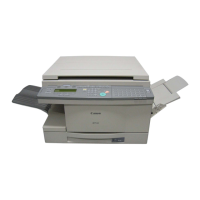
7 Open the printer assembly
cover, and slowly push the car-
tridge towards the back of the
main unit in the direction of the
guide arrows, till it can go no
further.
8 Close the printer assembly
cover, push it back into the main
unit, and close the front cover.


 To Next Page