COPYRIGHT
©
1999 CANON INC. CANON GP160 REV.0 FEB. 1999 PRINTED IN JAPAN (IMPRIME AU JAPON)
13-94
CHAPTER 13 TROUBLESHOOTING
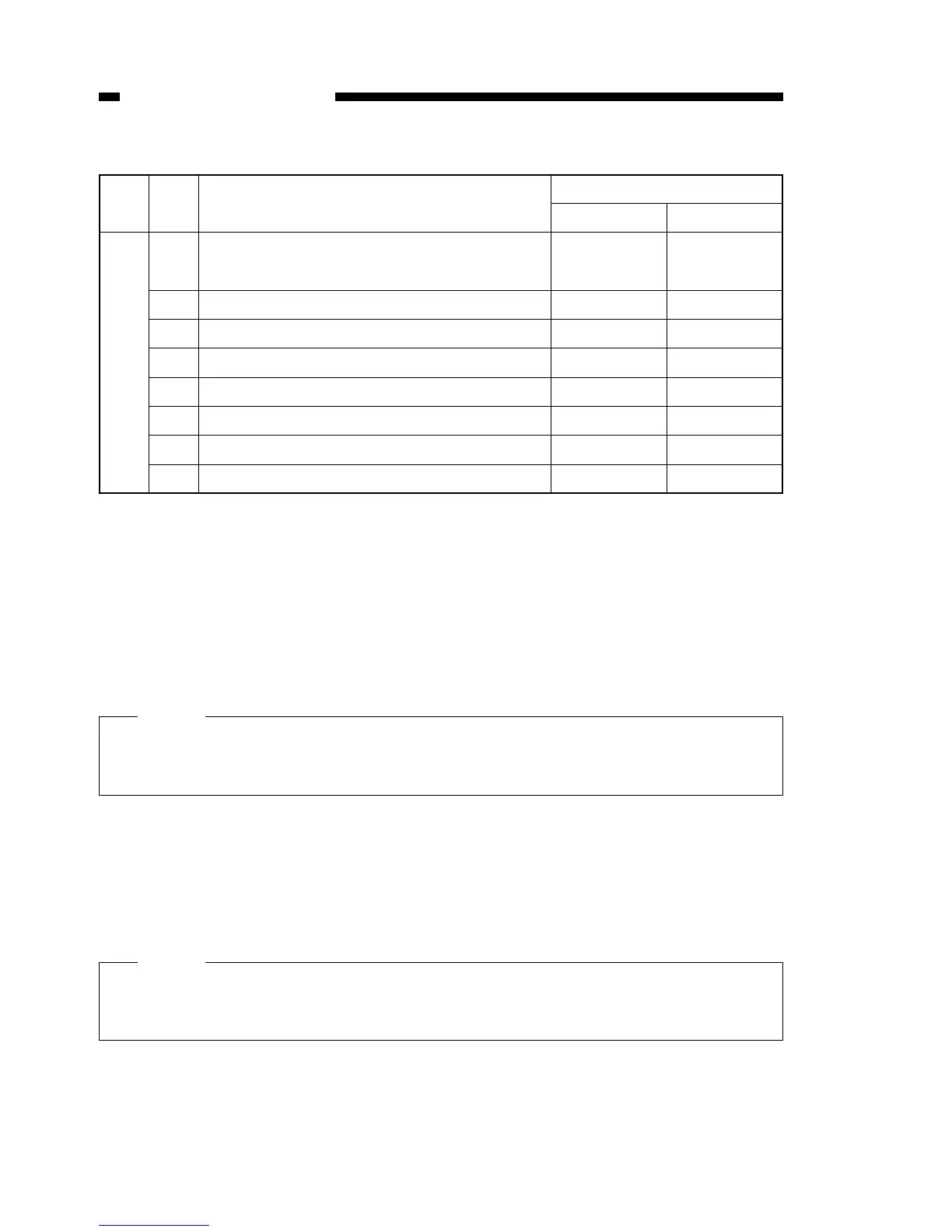
#1 SSSW-SW25: Report display function settings
Table 13-516
[Bit 0]
Selects transmitting telephone numbers displayed in the report after transmission has
ended.
Calling party’s number: displays the Calling side’s telephone number in
the report.
Destination party’s telephone number: displays the telephone number (CSI signal data)
sent from the destination party’s machine in the
report.
[Bit 1]
Selects other party’s abbreviation displayed in the report after transmission has ended.
Registration abbreviation: displays the other party’s abbreviation entered in 1-
touch dialling and coded speed dialling in the report.
Other party’s machine’s abbreviation: displays the abbreviation (NSF signal data) sent
from the other party’s machine in the report.
[Bit 3]
When “display” is selected, “06 message language” is displayed in the user mode’s sys-
tem settings.
SW
No.
Bit
No.
Function
25
0
Transmission telephone numbers displayed in
the report
Bit setting
10
Other party’s
number
Calling party’s
number
1 Other party abbreviations displayed in the report Leave Clear
2 Reserved
3 Message language switch Display Do not display
4 Reserved
5 Reserved
6 Reserved
7 Reserved
Even if calling party’s number is selected, when the call is not dialed by one-touch
dialling or speed dialling, the telephone number (CSI data signal) sent by the other
party’s machine is displayed in the report.
MEMO:
Even if “Registration abbreviation” is selected, when the other party’s abbreviation is
not entered in the Calling side’s 1-touch or coded speed dialling, the abbreviation
(NSF signal data) sent from the other party’s machine is displayed in the report.
MEMO:


 To Next Page