COPYRIGHT
©
1999 CANON INC. CANON 405/335 REV.0 JAN. 1999 PRINTED IN JAPAN (IMPRIME AU JAPON)
6-25
CHAPTER 6 IMAGE FORMATION SYSTEM
B. Transfer Charging Roller
1) Open the front door, and release the
feeding assembly.
2) Remove the screw, and detach the transfer
charging roller unit.
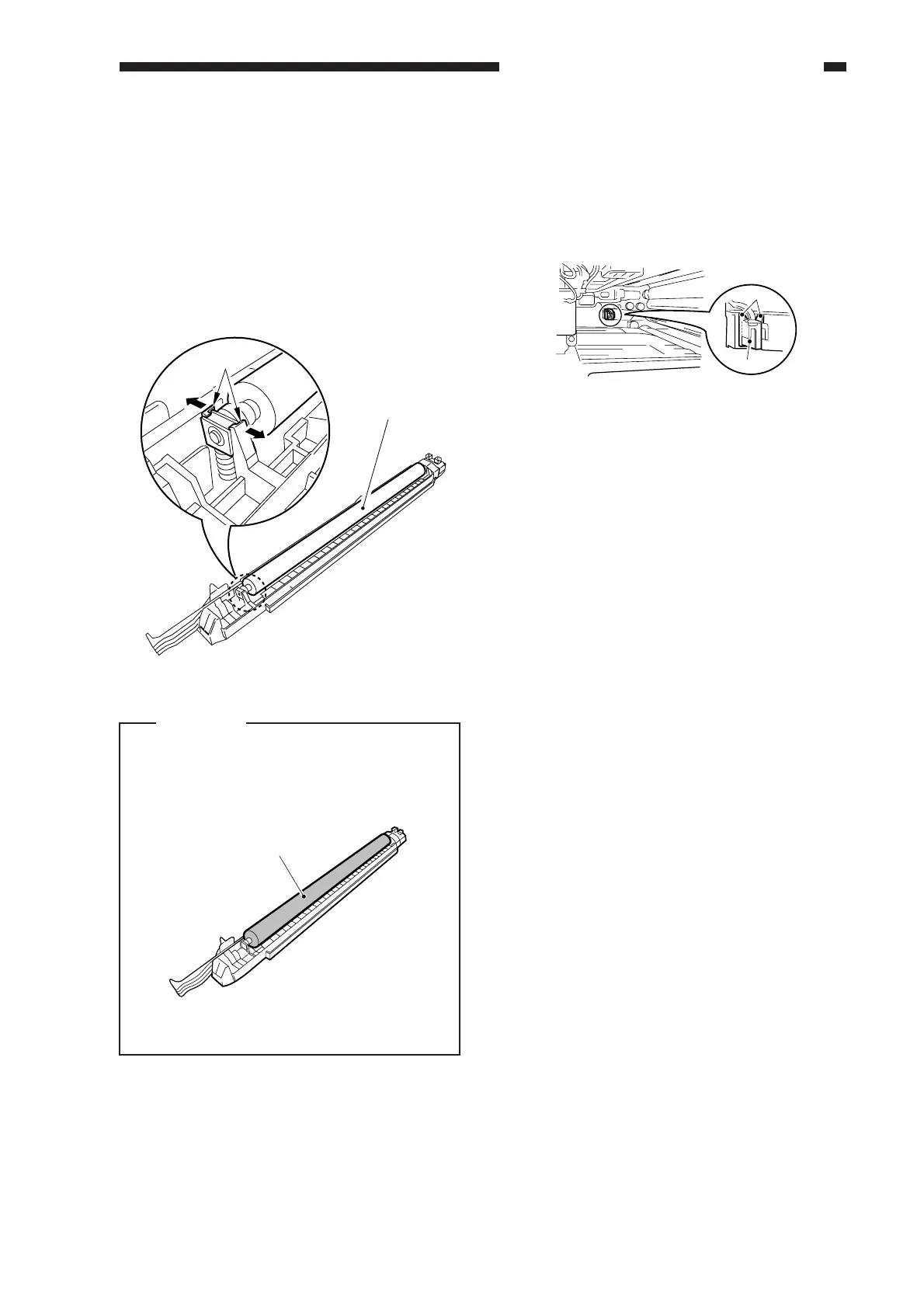
3) Open the claw [1] of the bushing at the
front, and slide the transfer charging roller
[2] to the front to detach.
Figure 6-402
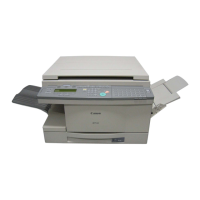
Caution:
Do not touch the surface [1] of the
transfer roller; otherwise, image faults
can occur.
Figure 6-403
C. Drum Sensor Unit
1) Remove the drum unit.
2) While pulling the two claws [1], detach
the drum unit [2].
Figure 6-404
[1]
[2]
[1]
[
1
]
[
2
]



 To Next Page