CHAPTER 11 SYSTEM INTEGRATION
11-8
COPYRIGHT
©
1999 CANON INC. CANON 405/335 REV.0 JAN. 1999 PRINTED IN JAPAN (IMPRIME AU JAPON)
A. Basic Expansion Kit
1. Removing the Basic Expansion Kit
1)
Check to make sure that the Communication
Memory lamp is off; then, turn off the main
power.
Figure 11-301
2) Remove the rear cover and the flywheel.
Screw
Screws
Flywheel
Figure 11-302
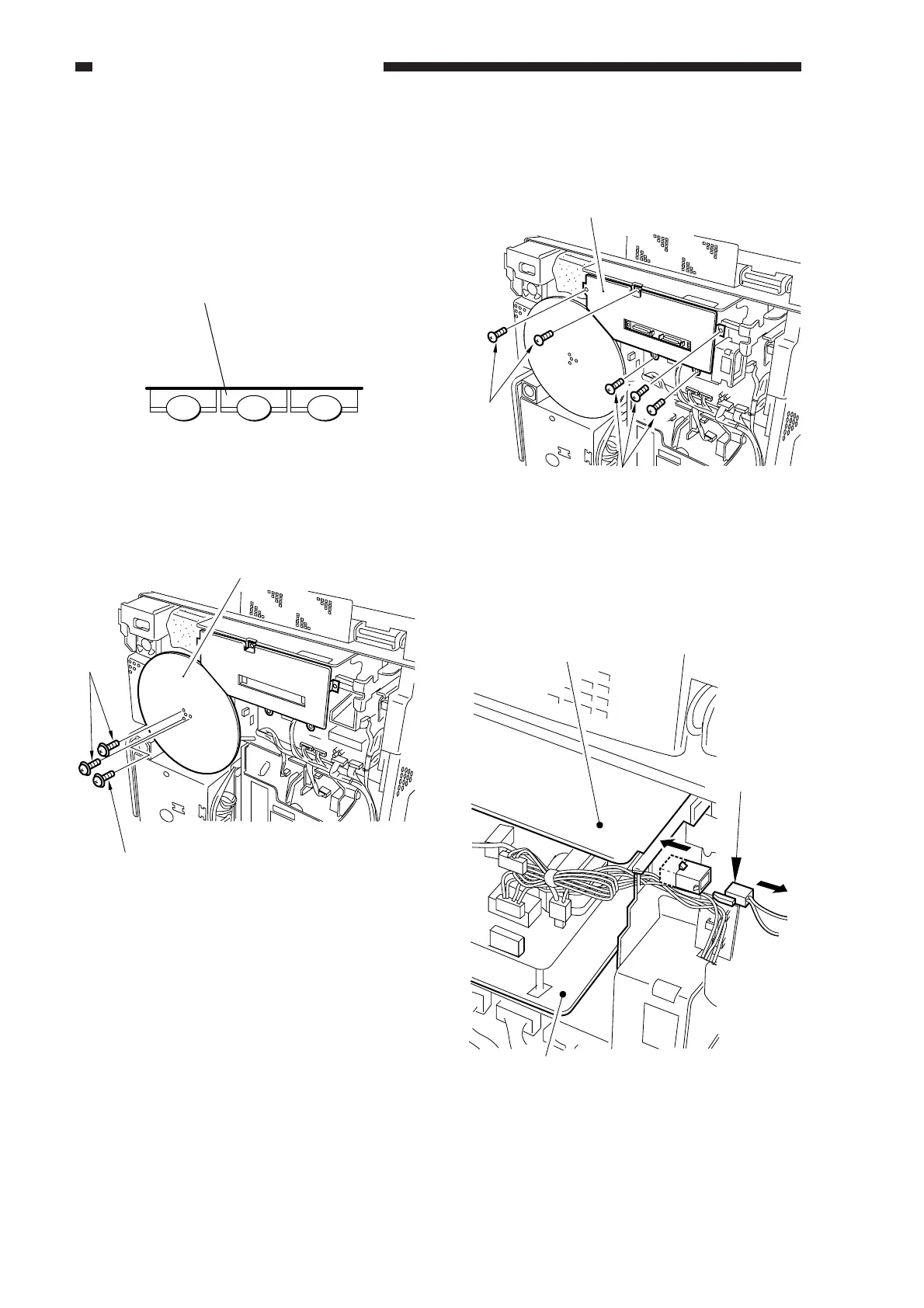
3) Remove the five screws, and detach the
extension case cover.
Figure 11-303
4) If the fax board is installed, disconnect the
connector shown in the figure.
Scares
Extension case cover
Screws
Figure 11-304
Fax board
Connector
Extension unit
MEMORY TX/RX lamp
FAX
OPTIONS
COPY



 To Next Page