COPYRIGHT
©
1999 CANON INC. CANON 405/335 REV.0 JAN. 1999 PRINTED IN JAPAN (IMPRIME AU JAPON)
6-27
CHAPTER 6 IMAGE FORMATION SYSTEM
E. Primary Charging Roller
Cleaning Solenoid
1. Removing the Primary Charging
Roller Cleaning Solenoid
1) Remove the following parts:
• Drum unit
• Developing assembly
• Rear cover
• Flywheel
• Power cord mount
• Composite power supply PCB
• DC controller PCB
• Low-voltage PCB
• Accessories power supply PCB
• Scanner cooling fan assembly
• Main drive unit
• Registration clutch
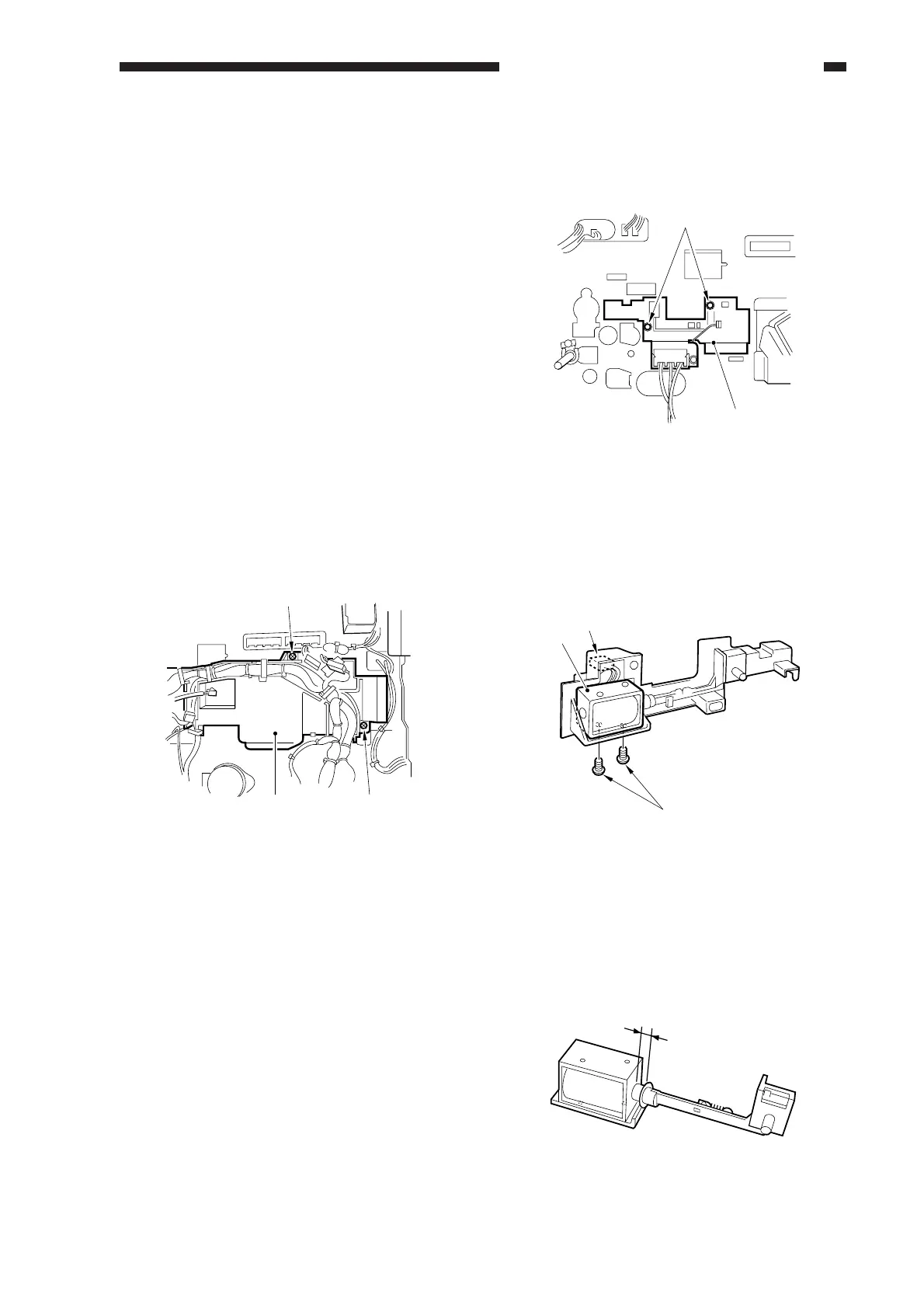
2) Free the harness, and remove the two
screws [1]; then, detach the harness guide
[2].
Figure 6-405
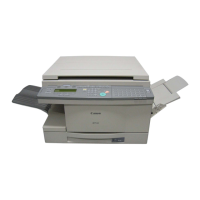
3) Remove the two screws [3], and detach
the primary charging roller cleaning
solenoid unit [4].
Figure 6-406
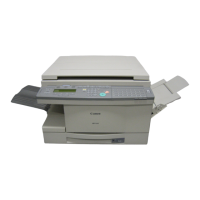
4) Disconnect the connector [5], and remove
the two screws [6]; then, detach the
primary charging roller cleaning solenoid
[7].
Figure 6-407
2. Adjusting the Position
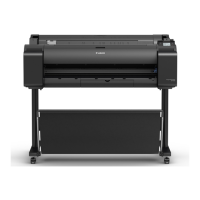
Adjust the position of the primary
charging roller cleaning solenoid (SL1) so that
the length shown in Figure 6-408 is 4.0 ±0.2
mm.
Figure 6-408
[1]
[2]
[1]
[3]
[4]
[7]
[5]
[6]
4.0
±
0.2mm



 To Next Page