CHAPTER 12 INSTALLATION
12-14
COPYRIGHT
©
1999 CANON INC. CANON 405/335 REV.0 JAN. 1999 PRINTED IN JAPAN (IMPRIME AU JAPON)
No.
1
2
3
RemarksWork
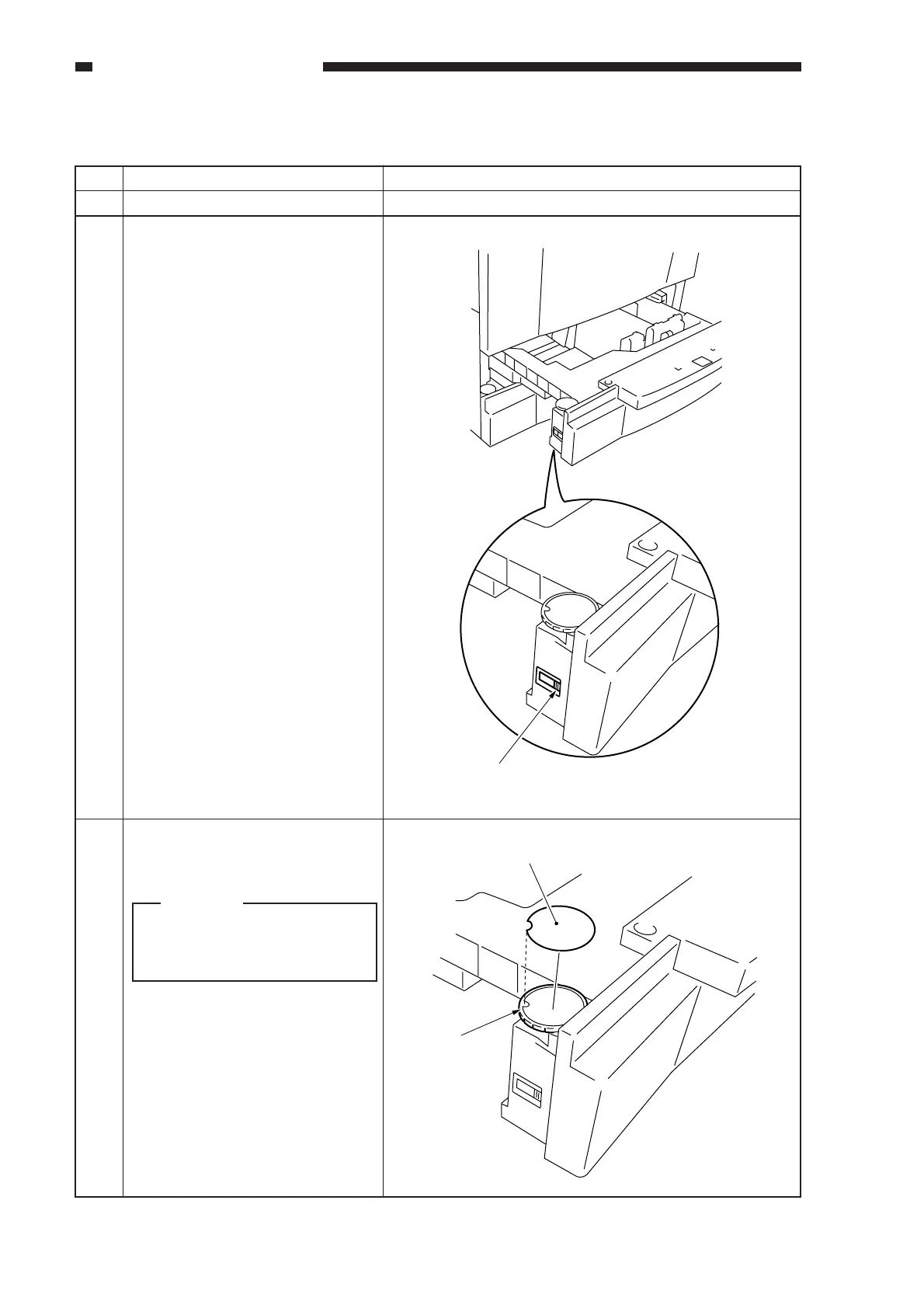
Slide out the cassette.
Find out the type of paper used by
the user, and set the cassette to A/B
or Inch. (Set the switch on each
cassette.)
Attach the label to the paper size
dial. (Be sure to fit the boss in the
cut-off of the label.)
E. Setting the Cassette
Caution:
The label comes in two types:
A/B and Inch. Be sure to use the
appropriate label.
Switch
Label
Boss



 To Next Page